Personalization at Scale for POD Apparel That Prints
The print-on-demand opportunity is expanding alongside a customer expectation most generic stores still miss. Seventy-four percent of consumers get frustrated when website content isn't personalized, while only 43% say their experiences feel personalized, despite 61% of brands saying they personalize experiences. That gap gives a small POD apparel brand room to compete, provided personalization is connected to production instead of treated as another abandoned marketing project. (ExpertBeacon's personalization statistics)
A POD founder doesn't need a warehouse full of variants to make a catalog feel relevant. With the right customer signals, segmented offers, and an AI design workflow, one person can create and publish designs that respond to interests, occasions, locations, and purchase behavior while keeping fulfillment on demand.
Table of Contents
- Why Personalization at Scale Is a POD Superpower
- Building the Data Foundation POD Brands Actually Need
- Segmentation Ladder From One Store to a Thousand Buyers
- Dynamic Creative and AI Design Workflows With AvatarIQ
- Automation and Tech Stack to Power Personalization
- Testing and Measuring What Personalization Really Lifts
- Common Pitfalls and How to Beat Them
Why Personalization at Scale Is a POD Superpower
The commercial case is straightforward. McKinsey reports that personalization most often drives a 10% to 15% revenue lift, with company-specific results ranging from 5% to 25% depending on the sector and execution quality. (McKinsey's analysis of personalization) That doesn't mean every personalized product will outperform a generic one. It means relevance can become a meaningful revenue lever when the offer, audience, timing, and creative all line up.
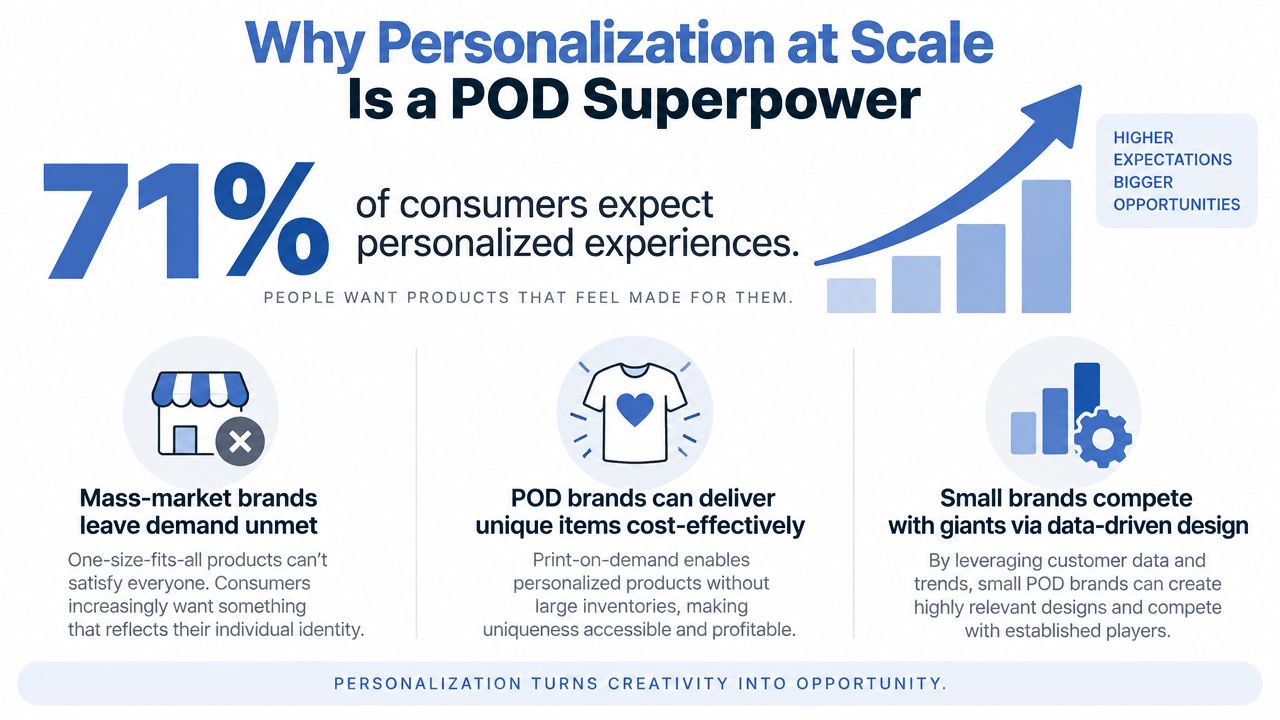
POD apparel has an unusually good operating model for this work. You don't have to pre-purchase every size, color, or design variation. A customer selects an item, the order routes to a fulfillment partner, and the product is made for that purchase. Digital production makes it practical to test creative directions without turning every experiment into an inventory decision.
The same logic applies to personalization. A visitor interested in golden retrievers can see a dog-themed collection, while someone responding to a regional event can receive graphics shaped around that location. A returning customer can get a complementary design instead of the same broad bestseller shown to everyone. You aren't building a completely separate store for each person. You're arranging the store so the most relevant part appears first.
The small-brand advantage
Large retailers often have more data and larger media budgets, but small POD brands can move faster. A solo founder can spot a niche, produce a variation, publish it, and watch the response without waiting for several departments to approve a seasonal collection.
The U.S. print-on-demand market was estimated at USD 1.89 billion in 2022 and is projected to reach USD 10.66 billion by 2030, with a projected 24.4% CAGR from 2023 to 2030, according to Grand View Research's U.S. print-on-demand market forecast. A separate forecast values the global market at USD 11.76 billion in 2025 and projects USD 84.70 billion by 2034, representing a projected 24.53% CAGR from 2026 to 2034. (Straits Research's print-on-demand forecast)
That growth creates opportunity, but it also creates noise. A generic catalog with hundreds of disconnected graphics can make customers work too hard to find something that feels made for them. A smaller catalog with clear audience paths can outperform a larger catalog when each visitor sees a more relevant starting point.
The practical blueprint is not complicated, although it does require discipline. Capture useful data, build simple segments, generate controlled design variations with AvatarIQ, automate repetitive handoffs, measure incremental revenue, and protect the customer experience with firm guardrails.
Building the Data Foundation POD Brands Actually Need
Personalization starts with recognition. Before creating dynamic designs or recommendation blocks, make sure your store can connect a visitor's actions to a usable customer record without collecting information you don't need.
Start with first-party identifiers such as email address, customer ID, consent status, and browsing events. Add pixel and server-side event coverage so browser limitations don't leave your reporting full of gaps. UTMs matter too, because the same design interest can mean something different when it comes from an email campaign, an organic search visit, or a paid social ad.
Capture a compact event taxonomy first. A beginner-friendly foundation includes:
product_vieweddesign_viewedcollection_viewedvariant_selectedadded_to_cartcheckout_startedpurchase_completedemail_openedemail_clickedrecommendation_clicked
Each event needs useful properties. Record the design ID, product type, color, size, price tier, collection, referrer, UTM values, device, geo, and customer status where available. Cart contents can reveal intent, while email opens and clicks show which themes earn attention beyond the store session.
Match fields to decisions
Don't collect fields just because a platform makes them available. Tie each one to a personalization play.
| Data Field | Personalization Play | Source |
|---|---|---|
| Email and customer ID | Recognize returning buyers and suppress irrelevant acquisition messages | Shopify or WooCommerce |
| Design ID viewed | Build design-affinity audiences and retarget related graphics | Store analytics |
| Cart contents | Trigger cart recovery with matching products or complementary designs | Shopify, WooCommerce |
| Color selection | Prioritize preferred palettes in email and on-site blocks | Product events |
| Size selection | Keep recommendations within the buyer's likely product range | Product events |
| Geo | Promote regional graphics, seasonal references, or local delivery messaging | Store, ad platforms |
| Device | Adapt creative format and landing-page presentation | Analytics platform |
| Referrer and UTMs | Connect campaigns to interests and conversion paths | Analytics |
| Email opens | Adjust send logic and message frequency | Klaviyo or Mailchimp |
| Purchase history | Create repeat-buyer, category, and VIP audiences | Store and email platform |
Shopify can provide product, cart, checkout, and order events. Etsy sellers may need a lighter process built around listing-level analytics, customer messages, and exported order data. Klaviyo can turn browsing and purchase events into flows, while Meta Conversions API can reinforce server-side purchase and checkout reporting for paid campaigns.
A useful rule is to store the design ID consistently everywhere. The same identifier should appear in the listing, event payload, email block, AvatarIQ project, and fulfillment reference. Without that shared key, you can see that someone bought a shirt, but not which creative family caused the purchase or what variation to show next.
Practical rule: If you can't explain which decision a data field improves, don't make it part of the first implementation.
Clean, accessible data matters more than a sprawling dashboard. Klaviyo's survey identifies easy access to data at 67%, the ability to measure effectiveness at 67%, availability of data at 51%, easy-to-use technology at 45%, and budget at 31% among requirements for scaling personalized marketing. (Klaviyo's personalization-at-scale research)
Segmentation Ladder From One Store to a Thousand Buyers
Segmentation works best as a ladder, not a leap. Start with groups you can explain in one sentence, then add behavioral and predictive layers only after the underlying events are reliable.
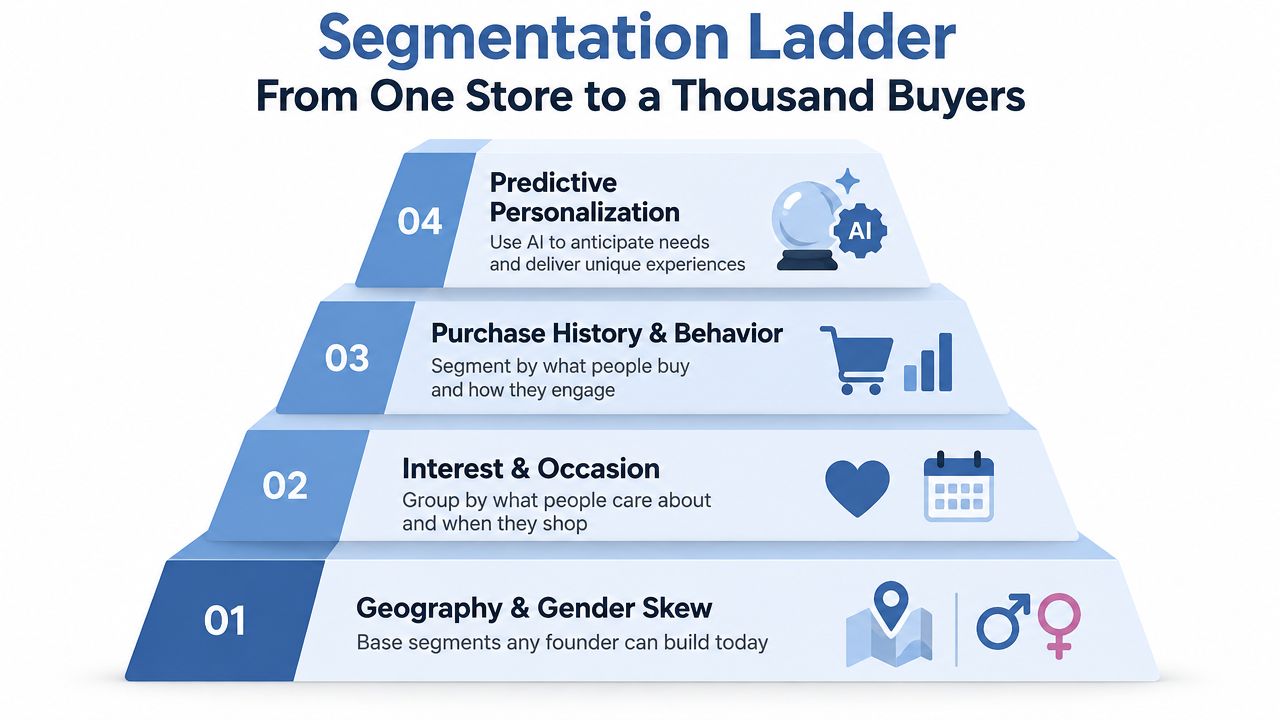
Tier one, simple context
Build geography, new versus returning status, and design-category tendencies first. Geography can support regional artwork drops. New visitors can receive a clear explanation of the brand, while returning buyers can see complementary products. Gender should never be guessed as a personal fact, but design purchase patterns can reveal that a collection has a particular audience skew.
These segments require your store, email platform, and consistent product tagging. They enable regional campaigns, welcome sequences, and broad category merchandising.
Tier two, interest and occasion
Next, use browse and cart behavior to identify interests such as pets, occupations, hobbies, holidays, or family occasions. Add price tier and product preference, because a buyer who repeatedly views premium garments shouldn't receive the same offer as someone who shops entry-level products.
This layer powers niche retargeting, abandoned-cart messages, and occasion-based drops. For practical examples of audience structures, review these customer segmentation examples and adapt the logic to your own product taxonomy.
Tier three, purchase history and behavior
Now combine orders with engagement. Separate first-time buyers, repeat buyers, recent purchasers, high-category buyers, and customers who browse frequently without purchasing. The point isn't to assign a permanent label. A person can move from prospect to buyer, from buyer to repeat customer, and from active to lapsed.
This tier supports early access, replenishment-style reminders for related products, cross-sells, and win-back campaigns. It also gives AvatarIQ better inputs for deciding which design families deserve more variations.
Tier four, predictive personalization
Predictive segments come last. Lookalike audiences based on valuable buyers, propensity-to-personalize scores, and predicted category affinity can help prioritize creative and paid media. They need enough clean behavioral history to be useful, so don't build them because a platform offers a toggle.
The compounding effect is practical. Geography improves campaign labeling, campaign labels improve behavior data, behavior data improves purchase segments, and those segments create better inputs for lookalike modeling. Starting simple doesn't waste effort. It creates the records advanced tools need later.
Dynamic Creative and AI Design Workflows With AvatarIQ
AvatarIQ belongs between audience insight and published listing. It shouldn't replace judgment about what your brand stands for. It should reduce the repetitive work required to turn one strong concept into a controlled family of apparel products.
Begin with a base brief that specifies the audience, subject, visual style, garment use, composition, and production constraints. A useful prompt might be: “Minimalist line-art golden retriever portrait, clean single-color contour, centered chest placement, generous negative space, no background, apparel-ready composition, friendly expression.” For a different niche, try: “Cottagecore mushroom cluster, hand-drawn botanical line work, muted woodland palette, balanced horizontal composition, no fine micro-details, transparent background.”
The prompt needs boundaries. Include what must not appear, such as tiny text, photographic gradients, crowded edges, or unlicensed characters. Save the approved base prompt as part of the design record so future variants stay recognizably within the brand.
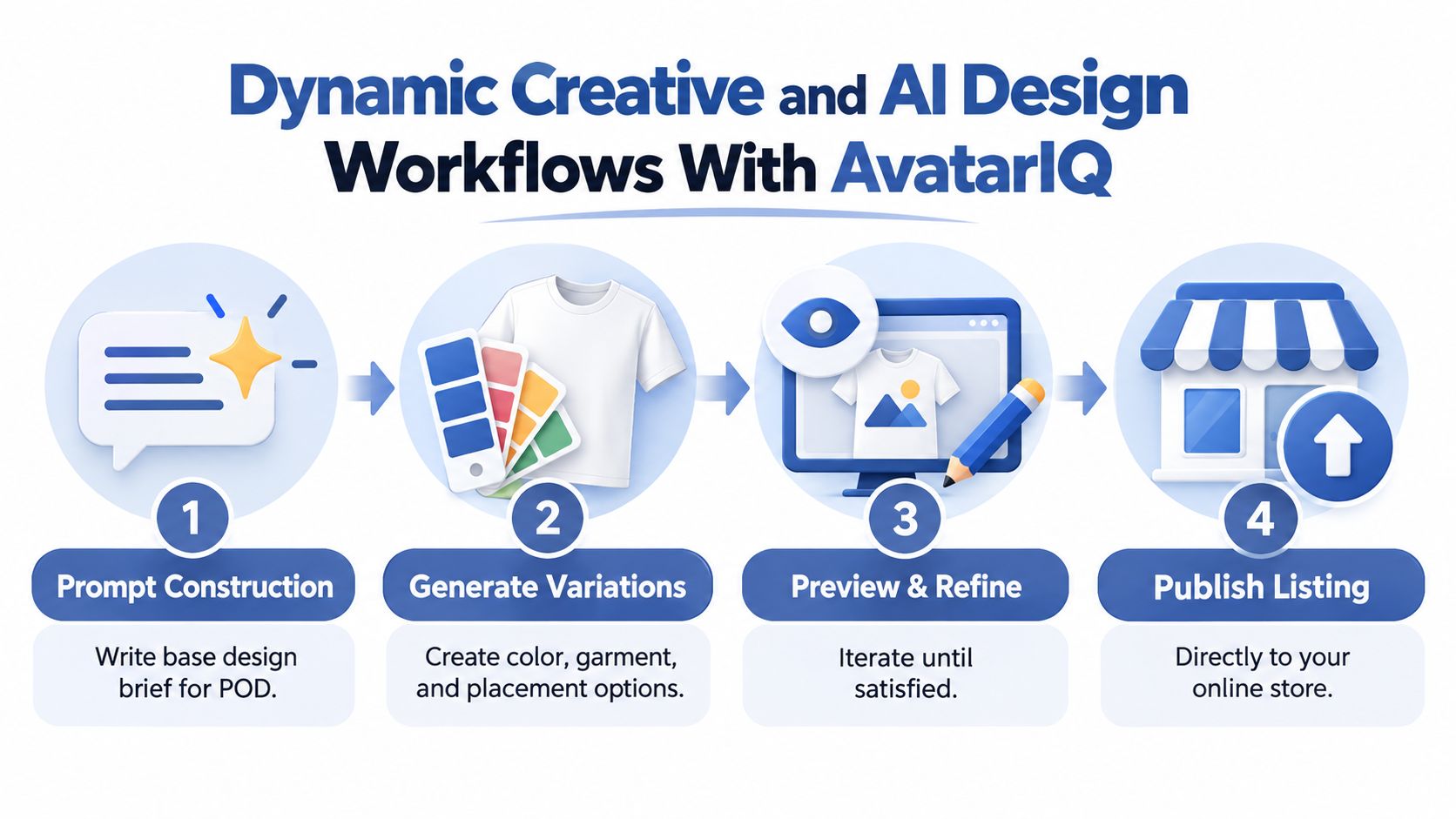
Build variants without creating chaos
Generate variations around one controlled dimension at a time:
- Audience variation: Adjust the subject or wording for a defined niche.
- Color variation: Offer approved palettes that work with the garment colors you sell.
- Garment variation: Adapt placement and contrast for tees, sweatshirts, or tanks.
- Placement variation: Test centered, left-chest, sleeve, or back treatments where production supports them.
- Occasion variation: Create birthday, reunion, team, or seasonal adaptations.
For birthday collections, a resource such as scalable birthday t-shirt ideas can help you explore occasion structures before translating them into your own visual system. Use inspiration to identify an angle, not to copy another seller's artwork or wording.
Assemble mockups through the fulfillment workflow you use in practice. Printful, Printify, Gelato, and Gooten each have their own product catalogs, print areas, file expectations, and publishing connections. Keep the product and design IDs aligned, then use an apparel mockup generator when you need consistent product presentation across a collection.
QA before publishing
AvatarIQ can accelerate creation, but the founder still owns the final check:
- Confirm the artwork is sharp at the intended print size.
- Inspect thin lines, small lettering, transparency, and edge placement.
- Check color appearance against the garment and production method.
- Search trademarks before using phrases, characters, logos, or recognizable brand elements.
- Verify that the title, description, and alt text describe the actual design.
- Compare mockups for consistent lighting, garment fit, and placement.
- Order samples for designs where texture, contrast, or fine detail affects the buying decision.
The win isn't publishing every possible variation. It's publishing a coherent set that gives each segment a relevant choice without making the store feel unfinished.
Automation and Tech Stack to Power Personalization
A solo operator should add automation in layers. Start with the path that captures orders and customer intent. Add recommendations only after the basics work. Connect AI and fulfillment automation after you know which events should trigger which action.
Phase one needs a store, an email platform, and tags. Shopify or WooCommerce can manage products and orders. Klaviyo or Mailchimp can handle welcome, browse, cart, purchase, and win-back flows. A simple tag structure might include interest_dog, interest_mushroom, buyer_repeat, product_sweatshirt, and source_meta.
| Phase | Core Tools | Trigger | Goal |
|---|---|---|---|
| One | Shopify or WooCommerce, Klaviyo or Mailchimp | Product view, cart, purchase | Capture intent and send relevant messages |
| Two | Nosto, LimeSpot, or ReConvert | Collection view, cart value, purchase history | Display recommendations and dynamic content |
| Three | AvatarIQ with Make or Zapier | Approved design brief or new audience signal | Generate and route controlled creative variants |
| Four | Fulfillment APIs and store webhooks | Paid order, design approval, product update | Route orders and synchronize product information |
Phase two introduces recommendation and dynamic-content tools such as Nosto, LimeSpot, or ReConvert. Use them for clear jobs: “show more designs from this category,” “recommend a matching garment,” or “surface a new drop to a returning customer.” Don't turn every page into a carousel of unrelated products.
Phase three connects AvatarIQ to Make or Zapier. A new approved design brief can create a project, generate defined variants, store the outputs, and alert you for QA. A product-published webhook can then update the store and email platform. Build a human approval step before a design becomes customer-facing.
For video-led creative testing, a text to video converter can help transform product concepts into short promotional assets, provided the finished video still represents the actual garment accurately. Keep the e-commerce automation tools you use focused on fewer handoffs rather than adding complexity for its own sake.
Fallback logic prevents broken campaigns. If a visitor has no known interest, show the best-performing broad collection. If a design variant fails QA, route to the approved base design. If a customer opts out of personalized email, stop the personalized flow and retain only the communication needed to complete the order or provide service.
Testing and Measuring What Personalization Really Lifts
Personalization can look successful while taking credit for buyers who were already likely to purchase. Measure incrementality, not just clicks on a personalized block.
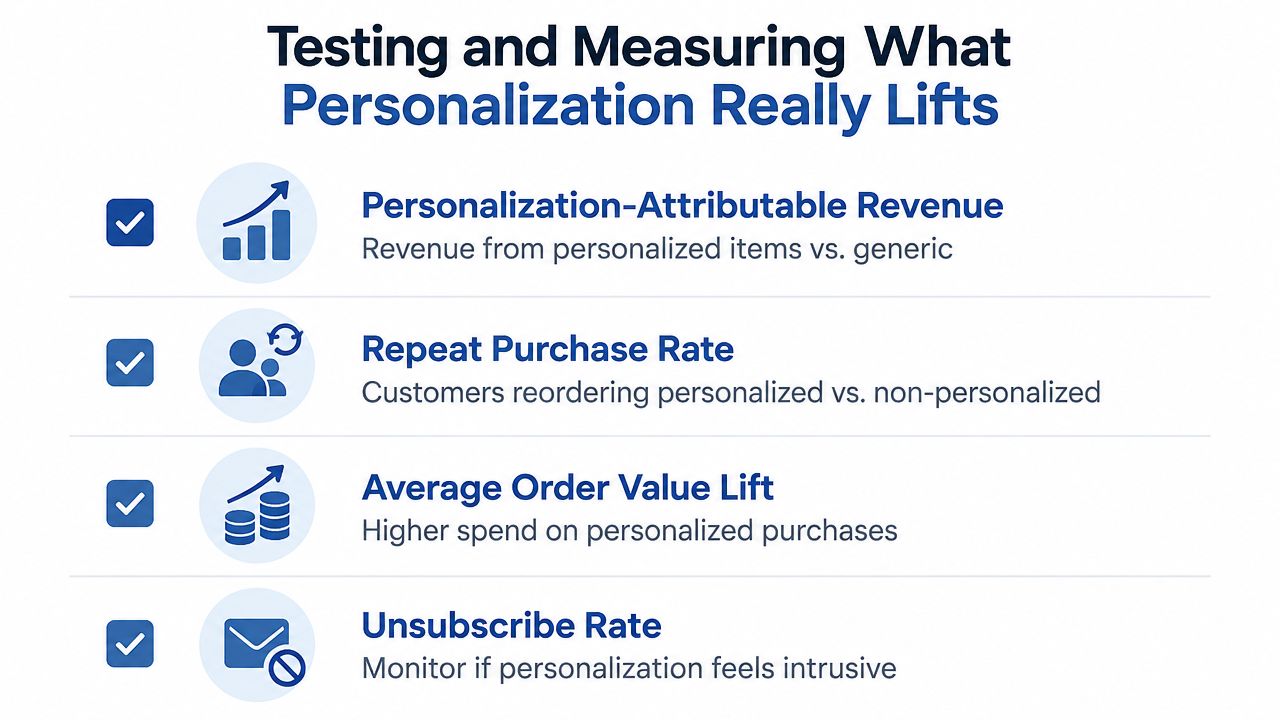
Track four core outcomes:
- Personalization-attributable revenue: Compare revenue from personalized items or experiences against the generic control.
- Repeat purchase rate: Separate customers who reorder personalized products from customers who receive only broad merchandising.
- Average order value lift: Check whether relevant bundles or complementary designs increase basket value.
- Unsubscribe or opt-out rate: Watch for signs that personalization feels intrusive, repetitive, or inaccurate.
Design clean tests
Test one meaningful change at a time. Keep a generic control group and compare it with a personalized experience such as a dynamic email block, a browse-triggered journey, or an on-site recommendation module.
The planned sample threshold in this framework is roughly 1,000 sessions per variant, but treat that as an operating guideline rather than a guarantee of certainty. Small stores can begin with directional learning, then keep winning changes in rotation until the evidence becomes more dependable. Record audience definition, exposure, conversion, revenue, average order value, and opt-outs for every test.
Review creative tests weekly. Review segmentation tests every two weeks. Review channel-level lift monthly, looking for whether the same buyer is being counted across email, paid media, and on-site experiences.
A simple scorecard keeps enthusiasm from replacing analysis:
| Test | Audience | Control | Variant | Revenue result | Customer-quality result | Decision |
|---|---|---|---|---|---|---|
| Dynamic product block | Defined interest group | Generic collection | Matching collection | Record both | Repeat or opt-out signal | Keep, revise, or stop |
| Browse flow | Recent design viewers | No flow or generic flow | Related design flow | Attribute consistently | Engagement quality | Iterate |
| New variant | Prior buyers | Existing design | AvatarIQ variation | Compare product-level sales | Refund or complaint signal | Expand cautiously |
Measurement discipline: A winning click-through rate isn't enough if the audience buys less, unsubscribes more, or never returns.
Common Pitfalls and How to Beat Them
Personalization doesn't fail because POD lacks opportunity. It fails when founders add complexity faster than they can verify quality.
Over-personalizing too early is the first trap. If your store has inconsistent tags or sparse event data, a highly specific recommendation can feel random. Begin with broad, defensible signals such as the collection viewed, purchase history, and new versus returning status.
Variant sprawl creates operational drag. One base design can quickly become dozens of colors, placements, garments, and audience versions. Cap each launch to a small, intentional set, archive weak variants, and use AvatarIQ's approved prompt structure so the collection remains recognizable.
Inconsistent mockups damage trust even when the design itself is strong. A shirt that appears oversized in one listing and correctly placed in another makes the store feel improvised. Use a repeatable mockup template, consistent garment photography, and the same placement rules across related products.
Trendy ideas that don't print well waste design time and create avoidable customer-service problems. Keep a rejection list for tiny details, complex gradients, protected phrases, copied characters, and graphics that lose contrast on the garments you sell. Review resolution, color, trademarks, and placement before publishing, not after an order arrives.
Tiny paid audiences can consume budget without producing a useful signal. Let small segments inform organic merchandising or email tests first. Amplify only after the audience has enough activity to support a real decision, and keep a broad fallback campaign running so the account doesn't depend on one narrow group.
AI without ownership is another expensive shortcut. The software can generate options, but you decide whether the design fits the niche, survives production, and deserves a place in the catalog. Treat every output as a draft until it passes your technical, legal, and brand checks.
POD gives you room to experiment, and that should feel exciting. The guardrails don't remove the opportunity. They help you move quickly without turning speed into rework.
Skup helps POD apparel entrepreneurs build practical systems around product research, design creation, advertising, and growth, while AvatarIQ supports faster AI-assisted design and mockup production. If you want a structured path for applying these workflows, visit Skup and explore the Apparel Cloning System for building personalized collections with a repeatable process.