AI Generated T Shirts: Your Complete Guide to Smarter Design
You're at the kitchen table with a laptop open, a coffee going cold, and a folder full of shirt ideas that never quite became products. You've searched stock graphics, changed the font several times, and stared at the same blank design canvas long enough to wonder whether you're cut out for apparel.
That frustration is exactly where AI generated t shirts change the game. AI can turn a written concept into a useful visual draft quickly, giving you more room to focus on niche research, product positioning, quality control, and sales. The opportunity is real, especially as the broader custom apparel market grows. One estimate valued the global custom T-shirt market at $1.95 billion in 2023 and projected it to reach $3.72 billion by 2030, while the global direct-to-garment printing market was projected to reach $4.9 billion by 2030 (industry estimate).
AI won't build a profitable apparel business by itself. It will give you an advantage, but your judgment still decides which ideas deserve refinement, which files are safe to sell, and which listings should reach customers.
Table of Contents
- A New Era for Shirt Design
- What AI Generated T Shirts Actually Are
- Creative Best Practices for Better Designs
- Copyright and Trademark Essentials
- Quality Control and Mockup Workflows
- Your AI to Listing Pipeline
- Why Human Creativity Still Wins
- Your 90 Day AI Design Action Plan
A New Era for Shirt Design
You have a niche in mind, a blank product page open, and no finished artwork to upload. A few years ago, turning “a funny shirt for new dads who love fishing” into a polished graphic meant hours of searching, sketching, editing, and second-guessing. That delay often stopped a promising idea before you could test it.
An AI workflow changes the first stage of the job. Describe a fishing dad holding coffee beside a boat, choose a vintage badge style, set a limited palette, and generate several directions before lunch. The first output will rarely be ready for production. Use it as a working draft that gives you something specific to judge, edit, and improve.

Speed is only the first advantage
AI lets apparel sellers explore more concepts without buying inventory, paying for expensive samples, or spending days on one manual design cycle. Digital garment production and on-demand fulfillment make those tests practical. You can try a narrow idea and produce the garment only after a customer orders it. The on-demand printing market has also expanded significantly, with one estimate projecting growth from $3.1 billion in 2018 to $11.7 billion by 2028 (market estimate).
Speed does not make every concept worth publishing. It gives you more chances to investigate a promising angle before committing your time and money. A clever phrase, a specific hobby, or an overlooked identity-based niche can move from a notebook idea to a visual test quickly.
The practical shift shows up in three areas:
- Faster ideation: Turn a market observation into several design directions before you spend hours refining one.
- Lower startup friction: Build a strong starting point without advanced illustration skills.
- Broader exploration: Compare badge graphics, minimalist line art, retro illustrations, and bold typographic layouts without rebuilding each concept from scratch.
That speed also puts responsibility on you. Copyright, trademarks, production requirements, and originality still need your review before publication. AI can produce a usable draft, but it cannot decide whether the design is safe to sell or suitable for your chosen garment.
Treat AI as one stage in a profitable POD pipeline, not as a magic button. Research supplies the angle, AI supplies raw material, human editing creates distinction, mockups show the product, and quality checks protect the buyer's experience. The image looking good on your screen is only the starting line. Your apparel work begins when you prepare it for a real customer.
What AI Generated T Shirts Actually Are
An AI image generator is like a junior illustrator who works from a written brief. You describe the subject, mood, composition, and style, and the system produces a visual interpretation in seconds. It can be useful, but it doesn't understand your customer, your margins, your production partner, or your legal exposure unless you bring those decisions into the process.
Tools such as AvatarIQ sit closer to a design assistant for apparel. They can help generate shirt concepts, create product mockups, and move you from an idea toward a listing without treating the raw image as the finished business asset.
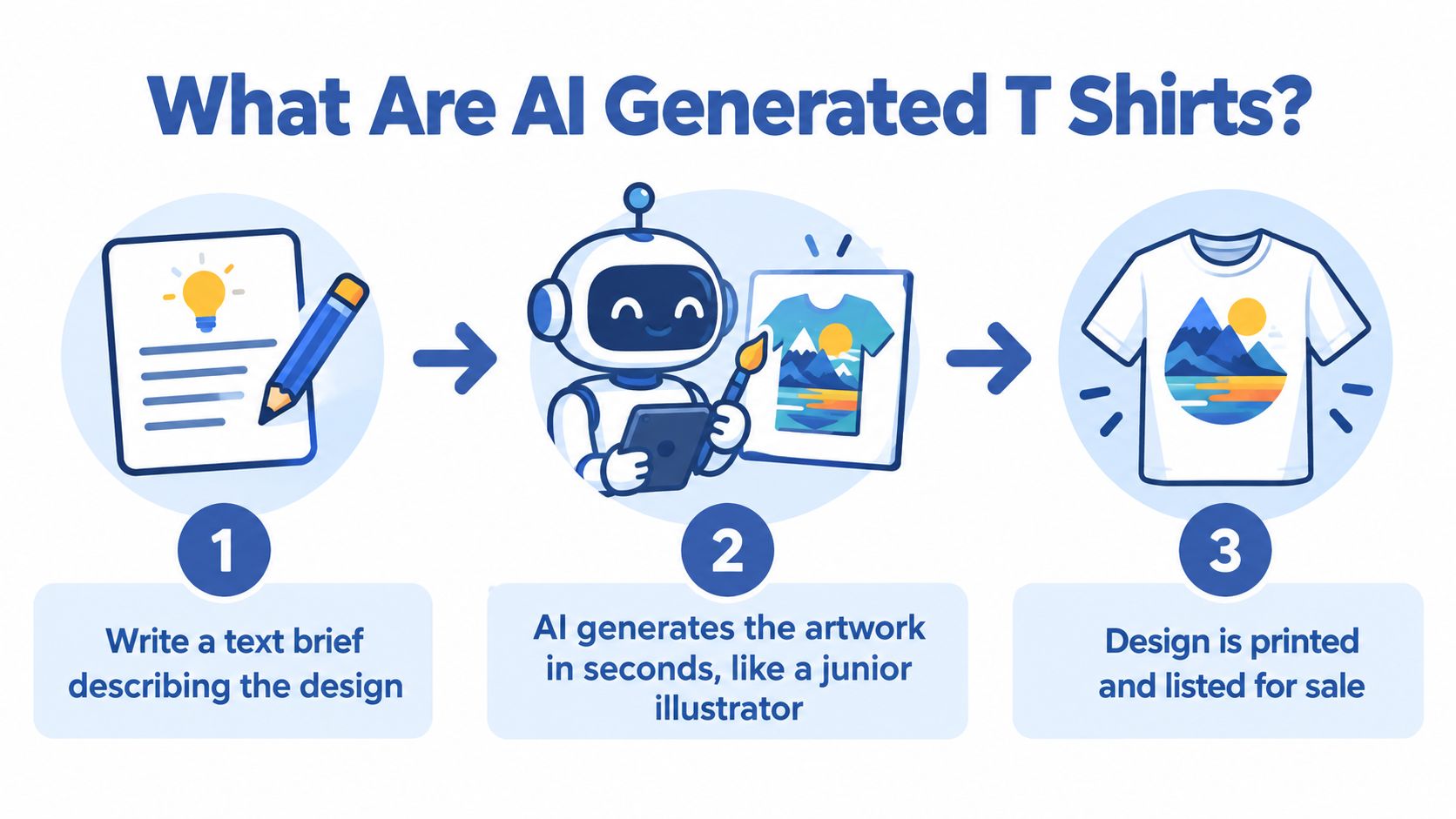
The production flow
A practical workflow looks like this:
- Write the brief. Describe the audience, central subject, visual style, composition, palette, text, and intended shirt placement.
- Generate candidates. Create several directions rather than falling in love with the first output.
- Select and refine. Remove artifacts, correct lettering, adjust colors, add human-created elements, and prepare the composition for the garment.
- Prepare the production file. Use the required dimensions, transparency, file format, and color profile for your POD workflow.
- Create the mockup. Show the design on a garment, ideally in a realistic context that helps the buyer understand scale and fit.
- Publish and fulfill. Send the approved file to your POD partner and build the listing around the audience's search intent.
There are three common types of AI apparel artwork, and you shouldn't treat them as legally identical.
Fully generated artwork starts with a prompt and may contain little or no human-created expression. It can be useful as an idea, but raw output may have limited copyright protection in the United States.
AI-assisted editing begins with licensed stock, your own photography, your own illustration, or another permitted asset. AI helps alter, combine, clean, or extend that material. Your rights depend on the original asset license and the creative contribution you add.
Template-based mashups combine existing elements, typography, layouts, and generated pieces. They can be commercially useful, but each component needs review. A template license doesn't automatically give you ownership of every arrangement or protect you from trademark problems.
For a wider comparison of design workflows, you can review AI design tools for apparel workflows. The important distinction is that AI design isn't a single click. It's a repeatable system that turns research into concepts, concepts into production assets, and production assets into testable listings.
Creative Best Practices for Better Designs
Weak prompts produce wallpaper. Strong prompts give the generator a creative brief.
“Cool wolf shirt” leaves too many decisions open. The result may look impressive in a gallery but fail as a shirt graphic because the focal point is unclear, the details are too fine, or the composition doesn't fit the printable area.
Write prompts in layers. Start with the subject, then describe the style, composition, palette, and placement. A stronger brief might ask for a determined wolf head, vintage screen-print illustration, centered three-quarter composition, bold contour lines, a limited black and cream palette with one rust accent, and a chest-scale design with clear negative space around the artwork.
Direct the artwork like a creative director
Use this structure:
- Subject: Name the object, character, occupation, hobby, or identity clearly.
- Style: Choose a recognizable visual direction, such as vintage screen print, hand-inked illustration, or geometric poster art.
- Composition: Explain the framing, focal point, symmetry, and amount of negative space.
- Palette: Limit the colors so the design feels intentional and remains practical for production.
- Placement: State whether the artwork is intended for a centered chest, left chest, oversized front, sleeve, or back print.
Typography needs special attention. Generated lettering often looks convincing at a glance and falls apart when you inspect individual characters. Use AI to explore the relationship between words and imagery, then recreate or correct important text with a human-controlled lettering treatment.
A useful swipe file can include successful Etsy and Redbubble listings, niche brand collections, and real-world shirts you notice in your community. Study their composition, audience language, contrast, and product photography. Don't copy protected phrases, logos, characters, or distinctive artwork. Translate the visual principle into your own brief instead.
For practical screen-printing considerations, this guide from Dirt Cheap Headwear offers useful context on how artwork choices affect production.
Iterate with discipline
Generate a batch of concepts, then judge them against a clear standard. Does the design communicate its idea quickly? Would the target buyer recognize themselves in it? Is the text readable? Does the graphic still work when reduced to shirt scale?
Kill weak directions quickly. Refine the survivors through cleaner edges, better spacing, stronger contrast, corrected text, and a more deliberate arrangement. Then add a human signature through custom lettering, your own illustration, original photography, hand-drawn marks, or a distinctive composition.
Creative rule: The prompt starts the design. Your taste, edits, and decisions create the brand.
The goal isn't to prove that AI made the artwork. The goal is to create a shirt that feels specific enough for someone to want to wear it.
Copyright and Trademark Essentials
You can sell a shirt without owning full copyright in every visual component, but you shouldn't confuse commercial usability with strong legal exclusivity.
The U.S. Copyright Office issued guidance on works containing AI-generated material on March 16, 2023, explaining that copyright protection depends on human authorship and creative control (U.S. Copyright Office guidance). If AI determines the expressive elements of an image, that material isn't treated as the product of human authorship. Human-created typography, illustrations, editing, composition, or a sufficiently creative arrangement of generated elements may still qualify.
The Office's January 2025 analysis maintained that AI-assisted work can receive protection when meaningful human creativity remains visible, while entering prompts alone generally doesn't provide enough control over the final image (2025 Copyright Office annual report). A detailed prompt is useful direction, but it isn't a reliable ownership threshold.
Run this audit before listing
- Identify your contribution. Write down the original lettering, layout, edits, combinations, color decisions, and illustrations you added.
- Screen the prompt. Remove brand names, team marks, protected characters, celebrity names, and phrases that invite infringement.
- Inspect the output. Look for logos, recognizable characters, copied symbols, unusual signatures, and designs that appear too close to existing work.
- Search for visual conflicts. Use reverse-image search and search relevant trademark databases in the markets where you plan to sell.
- Preserve your records. Keep the prompt, source assets, original generations, working files, edits, and the commercial-use terms that applied when you created the design.
- Review the person or character. Avoid celebrity likenesses and don't assume that changing a few visual details makes a recognizable person safe to use.
Trademark risk is separate from copyright. An original AI illustration can still create a problem if its words, logo, mascot, or overall branding suggests an association with an existing company, team, entertainment property, or public figure.
For another practical perspective on ownership and seller risk, this Amazon seller guide from LA Law Group, APLC is a useful reference.
The Copyright Office treats mixed-authorship questions case by case. If you seek U.S. registration for a mixed work, you must disclose material generated by AI and identify the portions representing your human contribution. Keep the operating rule simple: if you can't explain your personal creative contribution in two clear sentences, the design is probably too raw to sell confidently.
Quality Control and Mockup Workflows
An AI output is a draft, not a print-ready file. The screen can hide soft edges, accidental backgrounds, broken lettering, muddy gradients, and tiny details that disappear on fabric.
Prepare the artwork at its intended physical size and target approximately 300 DPI. A 12 × 16 inch front print would therefore be rasterized at about 3600 × 4800 pixels (apparel prepress guidance). Use a transparent-background PNG or high-resolution TIFF, preserve an editable source when possible, and include the color profile required by your production workflow.
Inspect the file before you create a listing
Check these items manually:
- Edges: Zoom to 100% and remove halos, fuzzy outlines, stray pixels, and accidental transparency.
- Background: Confirm that the file has genuine transparency rather than a white rectangle disguised by the preview.
- Typography: Read every character at the intended print size. Correct misspellings and distorted letterforms.
- Fine detail: Make sure thin lines, small gaps, and subtle gradients can survive the selected printing method.
- Color: Compare the file with your printer's requirements and consider how the design will behave on light and dark garments.
- Dimensions: Confirm that the artwork fits the printable area without looking cramped or undersized.
DTG, sublimation, and DTF workflows don't have identical requirements. A design that looks rich on a monitor can appear dull on cotton, lose fine detail, or create a visible edge if the file isn't prepared for the specific process. Order a physical sample before scaling advertising or treating a new collection as proven.
Mockups sell the product promise
A buyer doesn't purchase a transparent PNG. They purchase an expectation of how the shirt will look, fit, and feel in real life. Use realistic model imagery, consistent lighting, accurate garment colors, and a visible sense of scale.
Show the design on the primary garment color, then add relevant variants only when they make sense for the artwork. Avoid mockups where the print is stretched across folds, floating above the fabric, or positioned outside the actual printable area. A professional image should help the buyer answer basic questions without effort.
You can explore a mockup generator from Trendlytic when you need a faster way to build product visuals. You can also use this free T-shirt mockup workflow as a reference for presenting apparel more clearly.
Quality control is where the operator earns the margin. AI gives you speed, but careful review turns speed into a sellable asset.
Your AI to Listing Pipeline
A reliable apparel business doesn't depend on inspiration arriving at the right time. It uses a weekly pipeline that turns observations into controlled tests.
Stage one is research
Start with the audience, not the generator. Scan TikTok, Pinterest, Etsy best-sellers, niche forums, and conversations where people describe their hobbies, frustrations, identities, and inside jokes. You're looking for a specific design angle, not a broad category such as “fitness” or “dogs.”
Study proven sellers through the Apparel Cloning mindset. Notice the audience, product format, visual language, and offer structure, then create a distinct version for an underdeveloped angle. Borrow the business lesson, not the protected artwork.
Stage two is generation
Write targeted briefs inside AvatarIQ and produce multiple variations around one concept. Change one major variable at a time, such as subject pose, illustration style, phrase treatment, or palette. That makes it easier to understand which choice improved the design.
Stage three is refinement
Select the strongest candidates, then add human-created elements, fix typography, adjust composition, and prepare the artwork for production. Don't upload every acceptable image. A smaller group of distinctive designs gives you a clearer test and a stronger storefront.
Stage four is mockup and copy
Pair each design with an on-model product image. Write a title, tags, and description around the language your audience uses. Explain who the shirt is for and why the design belongs in that person's wardrobe.
Stage five is testing
Launch a small batch and watch the signals available in your store or marketplace. Clicks, saves, add-to-carts, sales, customer questions, and returns each tell you something different. Retire weak concepts instead of endlessly redesigning them.
Stage six is scaling
Build variations around designs that earn genuine interest. Test new colors, related phrases, alternate placements, and adjacent audiences. Keep refreshing the collection so your store develops a recognizable visual system rather than a pile of unrelated experiments.
When the products are ready, add them to Shopify with accurate images, descriptions, pricing, and fulfillment details. Treat every design as a hypothesis. Your job is to learn which audience and creative combination deserves more investment.
Why Human Creativity Still Wins
Marketplaces already contain plenty of sloppy AI artwork. Buyers notice when hands look strange, letters are broken, the composition feels generic, or the design has no clear reason to exist.
The fastest prompter won't automatically build the strongest apparel brand. The seller who understands a niche, chooses a meaningful idea, edits the artwork carefully, writes useful product copy, and presents the shirt professionally has a much better chance of earning trust.
Human creativity appears in more than the illustration. It shows up in the decision to make a shirt for a specific group, the phrase chosen for that group, the visual references used, the details removed, the details added, and the story told in the listing. AI can produce raw material, but it doesn't decide which slice of culture deserves to become a product.
That is the useful lesson behind Apparel Cloning. You study what already connects with buyers, identify the underlying pattern, and add your own creative angle for a different niche or audience. You aren't copying a bestseller. You're learning how to recognize demand and translate it into original work.
Buyers don't need proof that a machine was involved. They need a shirt that feels like it was made for them.
Use AI to free up energy for the parts that require judgment: taste, curation, community awareness, positioning, and brand storytelling. Those decisions are what make a generated image feel like merchandise instead of content.
Your 90 Day AI Design Action Plan
Start this week with a narrow audience and a simple operating rhythm.
Week one: Create your AI design account, study five successful niche stores, and write ten prompts for one specific audience. Don't jump between unrelated categories. Look for repeated phrases, visual patterns, product formats, and gaps you can approach from a fresh angle.
Weeks two through four: Generate fifty design candidates, shortlist five, and create a production-ready mockup for each on your chosen POD platform. Review every file for rights issues, typography, transparency, edges, placement, and garment color before publishing.
Month two is for evidence
List the five designs and run a small advertising test on two. Pay attention to which style attracts interest and which one earns the first sale. Keep the design that gives you evidence, then retire the dead weight instead of letting personal attachment dictate your next move.
A first sale isn't a guarantee of a winning collection, but it is a useful signal. Study the audience, message, image, and offer together. Then make the next design more specific.
Month three is for repetition
Document the prompt structures, niches, edits, mockups, and listing angles that produced the clearest response. Plan the next batch around what you've learned, not around random inspiration.
Keep these four habits in front of you:
- Research first.
- Refine always.
- Test small.
- Scale what sells.
AI generated t shirts give beginners a faster path from idea to market, and POD lets you explore that opportunity without turning your home into a warehouse. Start with one audience, create one careful batch, and give yourself enough real customer feedback to build something durable.
Skup helps apparel entrepreneurs connect AI-assisted design with practical POD research, product creation, and listing workflows. Use Skup to explore the systems behind a more disciplined apparel business, then turn your first promising shirt idea into a repeatable pipeline.