Beginner Guide: Learn How to Make Printed T Shirts
You've got a shirt idea saved on your phone, a few possible buyers in mind, and a browser full of printing options. The exciting part is imagining someone wearing your design. The confusing part is figuring out how to turn that image into a shirt that looks good after laundry day.
Learning how to make printed T shirts doesn't require a workshop or a garage full of equipment. You can start with a print-on-demand partner, approve a physical sample, and build your first listing around a product you're proud to sell.
Table of Contents
- Pick Your Print Method and Blank Shirt First
- How to Create and Prepare Your Design File
- How to Print Your Shirts Step by Step
- Build Mockups and Listings That Convert
- Fulfillment Tips and Compliance Checks Before You Sell
- Launch Your First Test Design This Week
Pick Your Print Method and Blank Shirt First
You don't need to buy a press to start. Print-on-demand partners handle production for you, commonly through direct-to-garment printing, while some also offer screen printing for batch orders. Your first decision is which method and blank to list, not which machine to buy.
Print methods compared for beginners
| Method | Best for | Setup | Color and detail | Main limitation |
|---|---|---|---|---|
| Direct-to-garment (DTG) | Single shirts, short runs, detailed art | Digital printer, pretreatment, heat curing | Full color, photo-level detail | Works best on cotton; pretreatment must be consistent |
| Screen printing | Repeat designs, larger batches | Screens, ink, curing unit | Bold solid colors, one screen per color | Screen setup makes one-off orders expensive |
| Heat transfer vinyl | Names, numbers, simple one-color art | Vinyl cutter, heat press | Flat color blocks only | Large designs can crack or feel stiff |
| Sublimation | Polyester and poly-coated items | Sublimation printer, heat press | Vivid full coverage | Does not work on 100% cotton |
Match the process to your order pattern
DTG makes sense when you're testing different designs without committing to inventory. Screen printing spreads artwork preparation and screen costs across identical shirts, making it attractive when you already have demand for a batch.
Heat transfer vinyl suits personalized names and simple lettering. Sublimation bonds with polyester rather than cotton; for blended garments, only the polyester portion takes the dye.
For more detail on these trade-offs, compare the different types of T-shirt printing before choosing your fulfillment partner.
Resource use also deserves a precise explanation. In the conventional-versus-digital cotton-printing comparison described by the Printing Industries of America paper/t230098.pdf?sfvrsn=b238c179_1), digital printing uses about 70% less water, and digital textile ink use is typically about 10% of the volume used in screen printing. Those are process comparisons, not guarantees about every finished shirt's environmental footprint.
Choose a blank people will enjoy wearing
Start with a compatible cotton or cotton-rich tee from your partner's catalog. Compare fabric weight, cut, neckline, available sizes, and color-specific composition. A heather color can have a different fiber blend from the solid version of the same style.
Practical rule: Choose the shirt and printing method together. Beautiful artwork can't compensate for a fabric that doesn't suit the process.
Write down your blank, method, and reason for choosing them. That simple decision keeps you from designing around a product your partner can't reliably produce.
How to Create and Prepare Your Design File
Start with one message for one niche. A clear shirt for weekend hikers is easier to understand than a graphic trying to appeal to hikers, gardeners, dog owners, and coffee lovers at once.
Use AvatarIQ to explore concept options, then refine the strongest direction. Treat generated artwork as a starting point that still needs spelling, originality, and print-readiness checks.
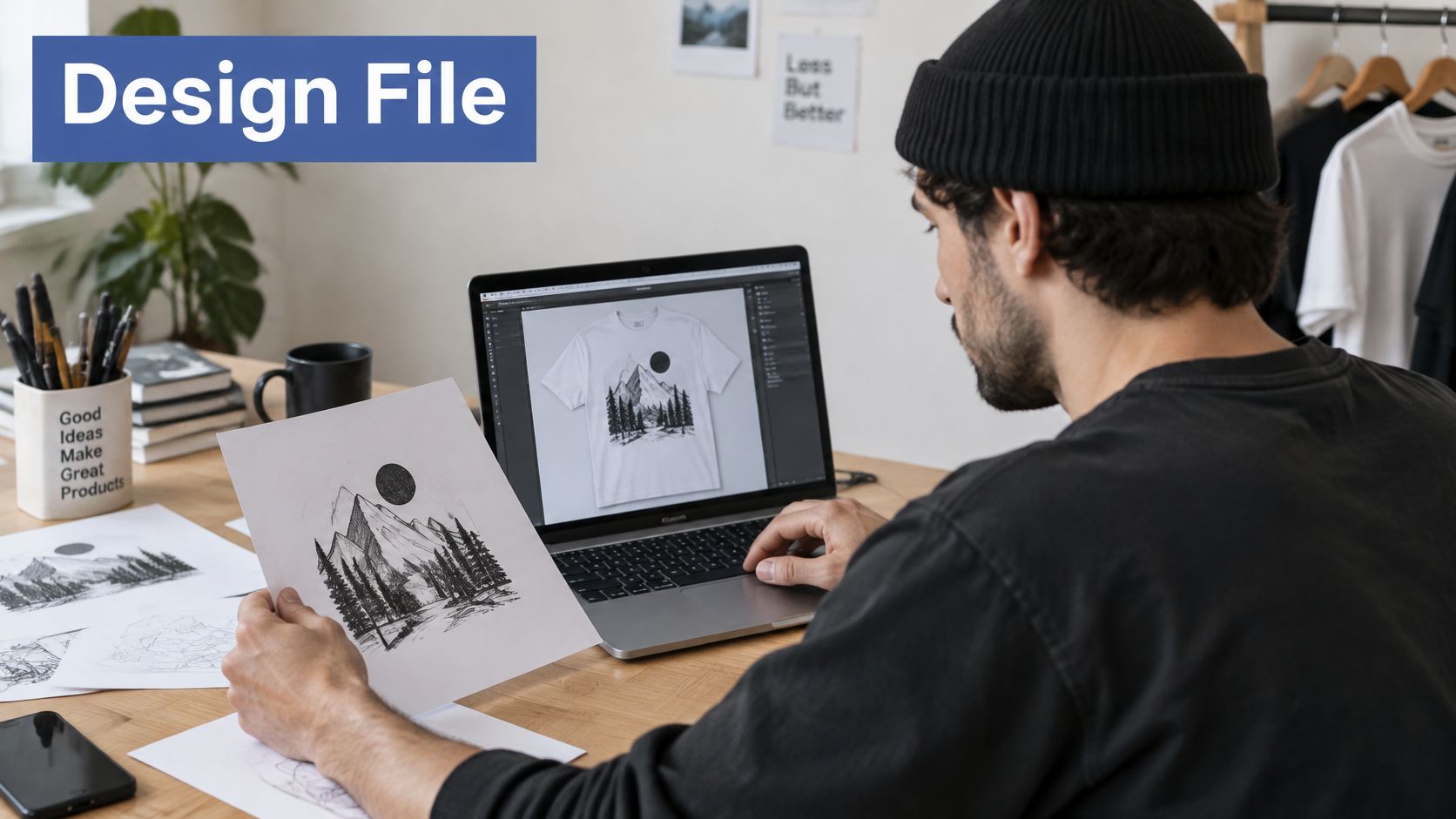
Build an idea that reads quickly
Describe the buyer and message in a sentence. For example, you're making a mountain graphic for hikers who enjoy quiet early starts. This gives you a useful filter for every visual decision.
Generate three to five concepts in AvatarIQ. Keep the direction that reads at arm's length. Tiny decorative text might look impressive on a laptop but disappear when someone sees the shirt across a room.
Check rights before refining the artwork. The U.S. Patent and Trademark Office defines trademarks to include words, phrases, symbols, designs, and combinations that identify goods or services. Check recognizable names, slogans, emblems, and brand presentation rather than assuming a changed color makes a design safe. Also confirm you have permission to use any incorporated artwork or licensed assets.
Prepare the file for fabric, not just a screen
Match the canvas to the product's print area. Check front and back placement separately. A hypothetical front print might use a 12-by-16-inch canvas, but your partner's template controls the actual dimensions. Use this T-shirt graphic size guide to think through placement before exporting.
Export a transparent PNG at 300 DPI at actual print size. Follow the platform's accepted file specifications, and use vector files for flat shapes when supported. Changing a small image's resolution setting doesn't recreate missing detail. Keep an editable master so you can fix text or colors without rebuilding everything.
Preview the design against a dark shirt. Inspect light lettering, pale edges, and transparent areas. White ink and fabric texture won't behave exactly like a glowing screen, so the physical sample remains your color reference.
Choose the color profile your fulfillment partner specifies rather than converting files automatically. Unnecessary conversions can shift colors before the printer even receives the artwork.
Finish with a quick export check:
- Background: Transparent where you intend the shirt to show through.
- Dimensions: Sized for the selected product and placement.
- Edges: No stray pixels, accidental borders, or faint background residue.
- Filename: Names the design, shirt color, and placement clearly.
A file called quiet-trails_black_front.png is much easier to manage than a folder full of exports named “final.”
How to Print Your Shirts Step by Step
With POD, your partner operates the equipment, but understanding the process helps you ask better questions and approve better samples. If you're printing yourself, build a job sheet before starting so successful settings can be repeated.
Run a controlled DTG print
Choose compatible fabric. Use the exact garment approved for your ink and pretreatment system. Check for lint, wrinkles, contamination, and seams that could interfere with the print area.
Load the shirt flat on the platen. Keep the collar square and the fabric secure without stretching it. Move seams away from the printable surface and check clearance before running the printer.
Apply an even pretreatment layer. Meter or weigh the application instead of judging by appearance alone. Too little can weaken white opacity and adhesion; too much can leave marks, discoloration, or a stiff feel.
Dry or heat-press the pretreatment. Use the ink system's specified temperature, dwell time, pressure, and release material. Record the actual settings rather than borrowing a generic heat-press recipe.
Print the underbase and colors. Use white ink where the garment and artwork require it, followed by the color layers. Confirm platen position and artwork alignment before committing the job.
Cure the complete ink film. Use the curing method qualified for that ink, garment, and print thickness. Keep press pressure or dryer loading consistent from sample to production.
Pigment systems use dry heat to remove water and form a binder film that traps pigment on the fabric, as explained by CottonWorks' cotton-printing guide, which also recommends evaluating performance after at least five standardized washes.
Dry isn't the same as cured
A touch-dry surface only tells you the surface isn't wet or tacky. It doesn't prove that the full ink layer received enough heat for durable adhesion.
For screen printing, prepare the artwork and screen, print the underbase and color layers, flash only enough to reduce surface tack, then complete the final cure. Excessive flashing can cause trouble just as insufficient heat can, so treat it as an intermediate step rather than the finish.
Plastisol is a common textile-printing workhorse with strong opacity. Water-based inks can produce a softer hand, although fabric, coverage, and curing still influence the finished feel.
A thick ink deposit won't fix every weak-looking print. It can make heat penetration harder and leave the shirt less comfortable.
Approve durability before taking orders
Print a production sample and verify dryer temperature with an independent probe suitable for the equipment. Record garment composition, pretreatment application, humidity, ink settings, and curing conditions.
Run the wash test under consistent conditions, turning the shirt inside out and using cool or warm water suitable for the garment. Compare the washed print with an unwashed reference for edge loss, cracking, fading, opacity, and hand feel.
If it fails, investigate thick ink film, uneven heat, and inconsistent loading before changing the artwork. A repeatable sample approval process gives you confidence to sell and a clear benchmark for your fulfillment partner.
Build Mockups and Listings That Convert
Your main image should help a buyer understand the shirt immediately: what it looks like, how it fits, and whether it feels like something they'd wear. Lead with a readable graphic on a model in a setting that fits the niche, not a distant lifestyle scene where the product disappears.
AvatarIQ can create mockups and photoshoot-style images without arranging a physical shoot. Keep the garment shape, graphic placement, and print scale faithful to your approved sample.
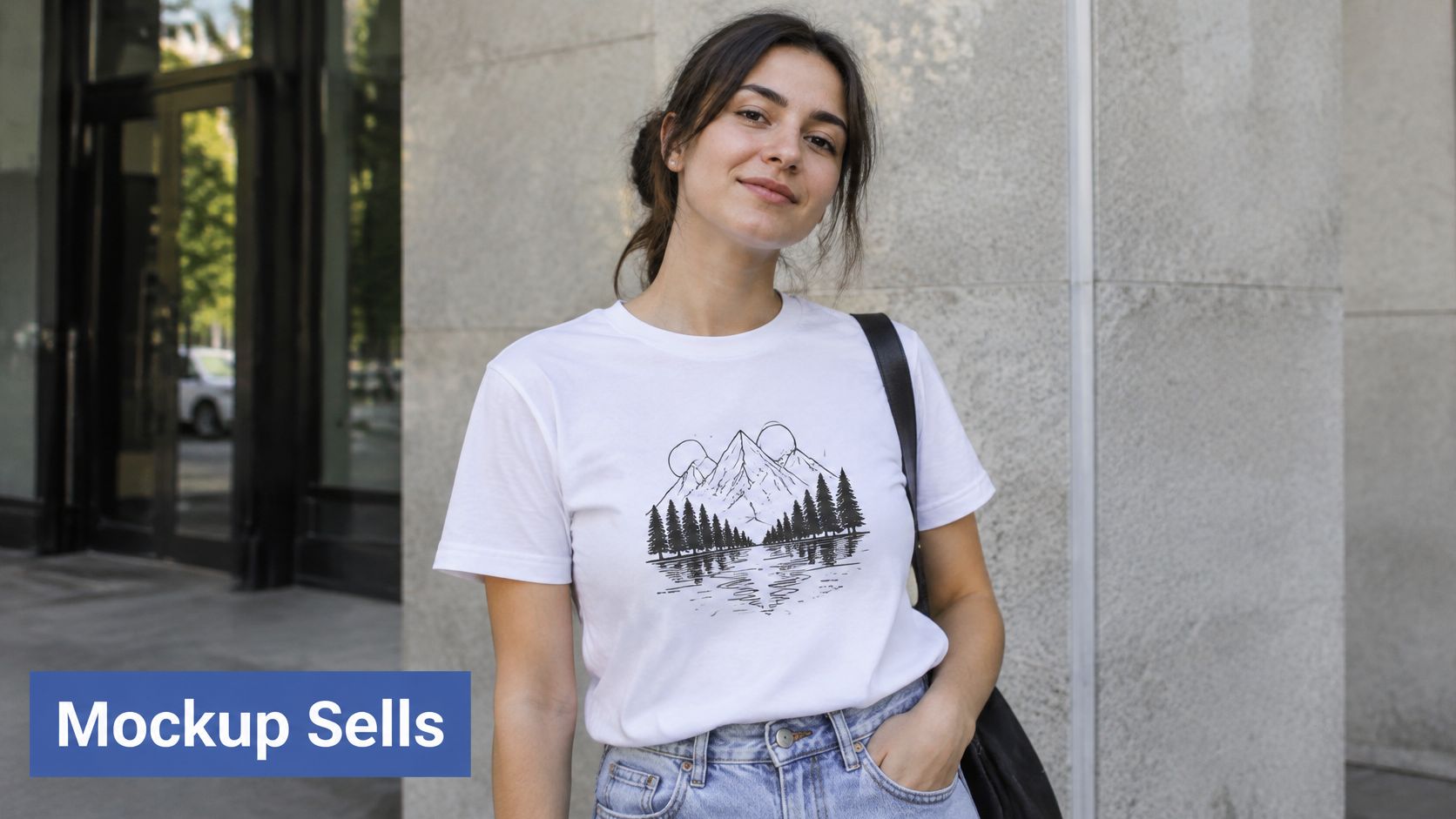
Show the product from useful angles
Combine an on-model image, a clear flat lay, and a close view of the printed design. For visual references on pose, framing, and garment presentation, WearView's resource on on-model photography can help you plan the shot rather than guess.
Use this free T-shirt mockup guide to organize your image choices. Don't exaggerate print brightness or make the graphic larger than the fulfillment partner can deliver.
Build the listing in a buyer-friendly order:
- Title: Main search phrase plus the buyer's identity or interest.
- Fabric and fit: Material composition, silhouette, and how the garment feels.
- Size guidance: The actual product measurements, not an unsupported promise of perfect fit.
- Care: Instructions compatible with the finished shirt.
- Design story: A short explanation of the idea and who it's for.
Protect margin and credibility
Calculate your selling price after production, platform fees, shipping contributions, and expected promotional costs. For a hypothetical pricing exercise, you might test a margin target around 30 to 50 percent after platform and production costs, then check what advertising and returns would leave. That's a planning target, not a promised profit.
Be equally specific about sustainability. The textile-recycling analysis identifies small and medium prints as more compatible with mechanical recycling than large, one-sided, or all-over prints. Lower coverage can be a thoughtful design choice, but it doesn't establish that a finished shirt is recyclable everywhere.
Describe verified fiber content and decoration choices instead of applying a broad eco-friendly label. Avoid non-toxic or chemical-free claims without appropriate supplier documentation.
Listing test: Save two mockup styles for each design and compare clicks while keeping the offer unchanged. Change the presentation deliberately so you can learn from the result.
Fulfillment Tips and Compliance Checks Before You Sell
Reliable fulfillment starts with a sample and realistic delivery promises. Check production time separately from shipping time, then inspect alignment, color, fabric feel, and the collar label on each design's sample.
Confirm the garment and its paperwork
For most U.S. textile products, the Federal Trade Commission's clothing guidance requires fiber content, country of origin, and the responsible manufacturer or business identity on a sufficiently durable, conspicuous label. Don't remove or replace a blank's label without preserving accurate required information.
The FTC care-labeling rule requires regular-care instructions, including washing or dry cleaning; washing directions must identify hand or machine washing and temperature when it matters, and concealed care information must also appear on outside packaging or a hangtag.
Pre-sale verification checklist
| Check | Where to confirm | What good looks like |
|---|---|---|
| Fiber content | Blank supplier spec sheet | Matches the fiber content on your label and listing |
| Country of origin | Blank supplier documentation | Accurate origin appears on the required garment label |
| Responsible business identity | Your seller or print partner details | Verifiable identity disclosed in the required form |
| Care instructions | Care label or hangtag | Appropriate wash temperature and drying advice included |
| Ink safety documents | Ink supplier safety data and declarations | Current, apparel-suitable documents on file |
| Print durability | Your own wash test | Print retains appearance and adhesion under the approved test |
Ask suppliers for documentation covering the blank, inks, finishes, and intended apparel use. Market Research Future's digital-textile-printing overview notes that California's AB 1817 restricts intentionally added PFAS in textiles beginning in January 2025; confirm applicable requirements for every market you serve.
Keep declarations together with sample approval records. Before launch, confirm the packing slip, return policy, tracking notifications, and care guidance inside the packaging so buyers know what to expect.
Launch Your First Test Design This Week
A focused launch gives you something useful to measure. Don't wait until you've designed an entire collection before learning whether buyers respond to your idea.
Give each day a clear job
- Day one: Pick a niche and write your buyer-and-message sentence.
- Day two: Generate concept options in AvatarIQ, choose a readable direction, and complete your rights checks.
- Day three: Prepare the production file and preview the selected shirt colors.
- Day four: Order your sample through the fulfillment platform.
- Day five: Build alternative mockups and draft the listing.
- Day six: Inspect and test the sample if it has arrived. Otherwise, finish your supplier file and customer policies.
- Day seven: Publish only after sample approval and durability testing are complete. If shipping takes longer, use the day to prepare your launch rather than skip quality checks.
Launch to learn
Choose a sharing channel where your intended buyers already participate. If that includes Reddit, Bazzly's a founder's guide to Reddit selling is a useful starting point for understanding community-led selling; check each community's rules before posting.
Record clicks, add-to-carts, and sales so your next decision comes from buyer behavior. Your first listing is a test, not a verdict on your ability to build an eCommerce business.
The Apparel Cloning System offers a structured approach to finding proven product ideas and developing your own original versions, while AvatarIQ supports the design-to-listing work. Keep the first launch manageable, learn what your buyer responds to, and enjoy the possibility of that first sale.
Skup offers print-on-demand apparel education through the Apparel Cloning System and design and mockup creation through AvatarIQ. Visit Skup to explore a structured way to turn your shirt idea into a sample-approved product and a launch-ready listing.