Facebook Ad Rules for POD Sellers: What Gets Approved
You've finished a tee design, built the product page, and launched your first Facebook ad. Then it's rejected. The artwork looks harmless, but the problem isn't the shirt at all: the ad promises a discount that disappears when someone reaches your store.
That's the useful starting point for understanding Facebook ad rules. Treat the ad, product page, shipping details, and checkout as one customer experience. You don't need to become a policy expert before selling print-on-demand apparel. You need a repeatable way to check that buyers receive what you've promised.
Table of Contents
- Facebook Ad Rules at a Glance
- How Meta Reviews Every Ad You Launch
- Disallowed and Restricted Content in Practice
- Text in Images and Creative Best Practices
- Common Disapproval Reasons and How to Fix Them
- Market Rules and the Pre-Launch Checklist
Facebook Ad Rules at a Glance
Say you advertise a funny cat-lover tee with an accurate mockup, but accidentally link to an unrelated hoodie. Changing the illustration won't solve that problem. The destination needs fixing.
Facebook ad content categories and typical outcomes
| Category | What It Covers | Apparel Example | Typical Outcome |
|---|---|---|---|
| Allowed content | Original designs, honest product copy and accurate pricing | Funny cat-lover tee with a matching product page | Reviewed and delivered normally |
| Restricted content | Political, social-issue and alcohol themes that need extra checks | Party tee referencing drinking | Extra review, possible authorization or delivery limits |
| Disallowed content | Prohibited products, deceptive practices and sensitive attribute targeting | Tee promising guaranteed income | Rejection, reduced delivery or account restrictions |
| Text inside images | Headlines, prices and claims printed on the mockup | A hypothetical half-price promotion printed on artwork while the store shows full price | Ad rejected until the image matches the offer |
| Destination pages | Product page, checkout, shipping and return information | Ad shows one design while the page sells a different item | Disapproval after the ad goes live |
These are practical examples, not guaranteed review decisions. A drinking-themed slogan also isn't automatically equivalent to selling alcohol, but the actual offer, wording, and destination need careful assessment.
Understand the layers of responsibility
Your campaign operates under Meta's Advertising Standards, Meta's Terms, and applicable local laws. Meta's Advertising Standards explain that advertisers remain responsible for those obligations and that enforcement can affect ads, accounts, Pages, and associated business assets.
Think of those layers as different questions. Is this paid advertisement permitted? Is the advertiser using the service appropriately? Is the offer lawful wherever it's being advertised and sold?
An ad passing review doesn't replace your responsibility to answer the other questions. Equally, a product being lawful doesn't mean every possible advertisement for it is acceptable.
Audit the offer, not the business model
Print-on-demand itself isn't the problem. The practical concern is whether the seller presents the product accurately and follows the relevant policies.
If you're still learning how fulfillment works, on-demand art explained by Striped Circle provides useful context for connecting an artwork file to a finished product. That distinction matters when you describe what customers will receive.
For example, don't let a realistic mockup suggest embroidery when the actual item uses a printed design. Don't promise immediate dispatch if your production process requires preparation time.
Practical rule: Follow the buyer's path from the first impression to the final checkout screen. Every promise should remain true along that path.
There's plenty of room for original humor, expressive artwork, and niche communities within these rules. A matching mockup, straightforward description, and transparent store give ordinary POD designs a clear path through review, without requiring aggressive claims or complicated workarounds.
How Meta Reviews Every Ad You Launch
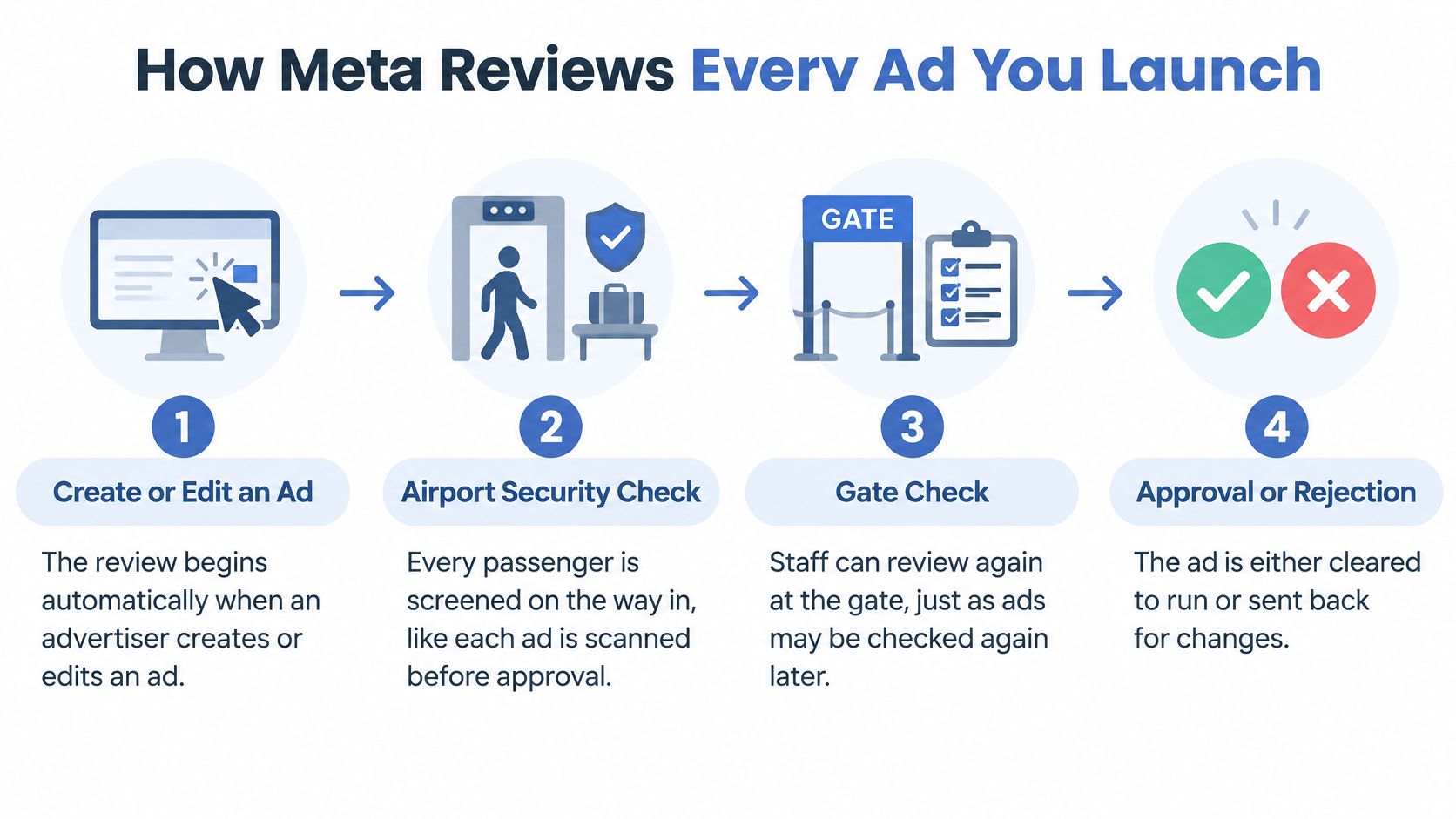
Think of Meta's review process like airport security. Passengers go through screening before entering the departure area, but staff can still check documents at the gate. Getting through the first checkpoint doesn't remove the possibility of another check.
Say you launch an ad for a hiking tee. Meta doesn't only evaluate the mountain graphic. It can examine the accompanying message, audience settings, account permissions, and the page customers reach after clicking.
Follow the review timeline
- Creation or editing starts the process. According to Meta's ad-review guidance, review begins automatically when you create or edit an ad and can cover images, video, text, targeting, special-ad-category status, advertiser permissions, and destinations; most reviews finish within 24 hours, although some take longer.
- Automated systems perform the main screening. The system assesses the submitted campaign against advertising requirements. Don't assume a simple-looking image means the entire submission will be straightforward.
- Selected cases receive human review. Meta's explanation of its Advertising Standards describes automated technology supported by human reviewers in selected cases and notes that an advertiser's past record can influence additional review.
- An approved ad can begin delivery. That's permission to run under the current conditions, not a permanent exemption.
- Review can happen again. Meta's advertising policies state that ads remain subject to review after launch and may not have been checked against every policy before their first delivery.
Keep the live experience stable
For the hiking tee, approval shouldn't be followed by switching the destination to an unrelated collection or replacing a factual description with an unsupported health claim. Maintain the same honest offer customers saw in the ad.
Necessary store updates are fine to plan for. When you change a promotion, product variant, or fulfillment statement, inspect the active ads that rely on the old information rather than updating the store in isolation.
Approval is a checkpoint, not a promise that the campaign will never be reviewed again.
Build a habit of checking delivery status alongside the live product page. If an ad stops running, you'll have a clearer record of what changed and a smaller set of potential causes to investigate.
The encouraging part is that this is manageable operational work. Keep the campaign's components organized, preserve accurate claims, and give yourself review time before a launch that depends on a particular start date.
Disallowed and Restricted Content in Practice
Describe the design without making sensitive assumptions about the person seeing it. That's the most useful copywriting habit for navigating Meta's personal-attribute restrictions.
Risky ad wording and safer rewrites
| Risky Wording | Why It Gets Flagged | Safer Rewrite |
|---|---|---|
| Are you a struggling mom? | Assumes a family status and personal situation | A floral design celebrating motherhood |
| This shirt is for people with anxiety | Implies a medical condition | A humorous design about busy days |
| For people suffering from stress | Labels the viewer with a health state | A calm-vibes design for slow weekends |
| Moms who need a break | Labels the viewer by family status and need | A design for coffee-fueled mornings |
| Lose weight in this hoodie | Health and appearance promise | A cozy hoodie for everyday comfort |
These rewrites reduce the specific risks illustrated in the table. They aren't automatic approval guarantees, because the surrounding creative and destination still matter.
Understand what the wording assumes
Meta's personal-attributes guidance prohibits ads that assert or imply sensitive attributes, including age, race, religion, sexual orientation, family status, disability, medical conditions, physical or mental health, vulnerable financial status, voting status, and criminal record.
The restriction includes questions and indirect implications, not just direct statements. Putting a question mark after an assumption doesn't make it neutral.
The motherhood example illustrates the distinction. Celebrating motherhood describes the design's subject. Asking whether the viewer is a struggling mother assigns a family status and difficult personal situation to that individual.
Likewise, busy-day humor describes an everyday theme without telling someone they have anxiety. A comfort-focused hoodie description explains the product without promising a physical transformation.
Ordinary pronouns such as you and your aren't prohibited on their own. You can invite someone to explore your collection without attaching a sensitive characteristic to them.
Separate expression from personal claims
Choosing a broad audience doesn't make intrusive wording acceptable. Audience settings and ad language are separate parts of the compliance check.
Meta also restricts health, diet, weight-loss, and appearance promotions that create negative self-perception or promise misleading outcomes. Selling a hoodie for comfort is different from suggesting it will change the buyer's body.
For apparel sellers, another separate check is ownership of the design. Use this guide to avoiding trademark infringement when assessing names, slogans, and recognizable brand elements. A personal-attribute rewrite doesn't resolve an intellectual-property problem.
Before publishing, read the primary text, headline, artwork, and product description together. A gentle headline won't neutralize a medical claim printed across the shirt or repeated on the destination page.
You can still write warm, funny, emotionally relevant copy. Coffee rituals, weekend plans, gardening jokes, and original illustrations offer plenty of creative territory without diagnosing or labeling the buyer.
Text in Images and Creative Best Practices
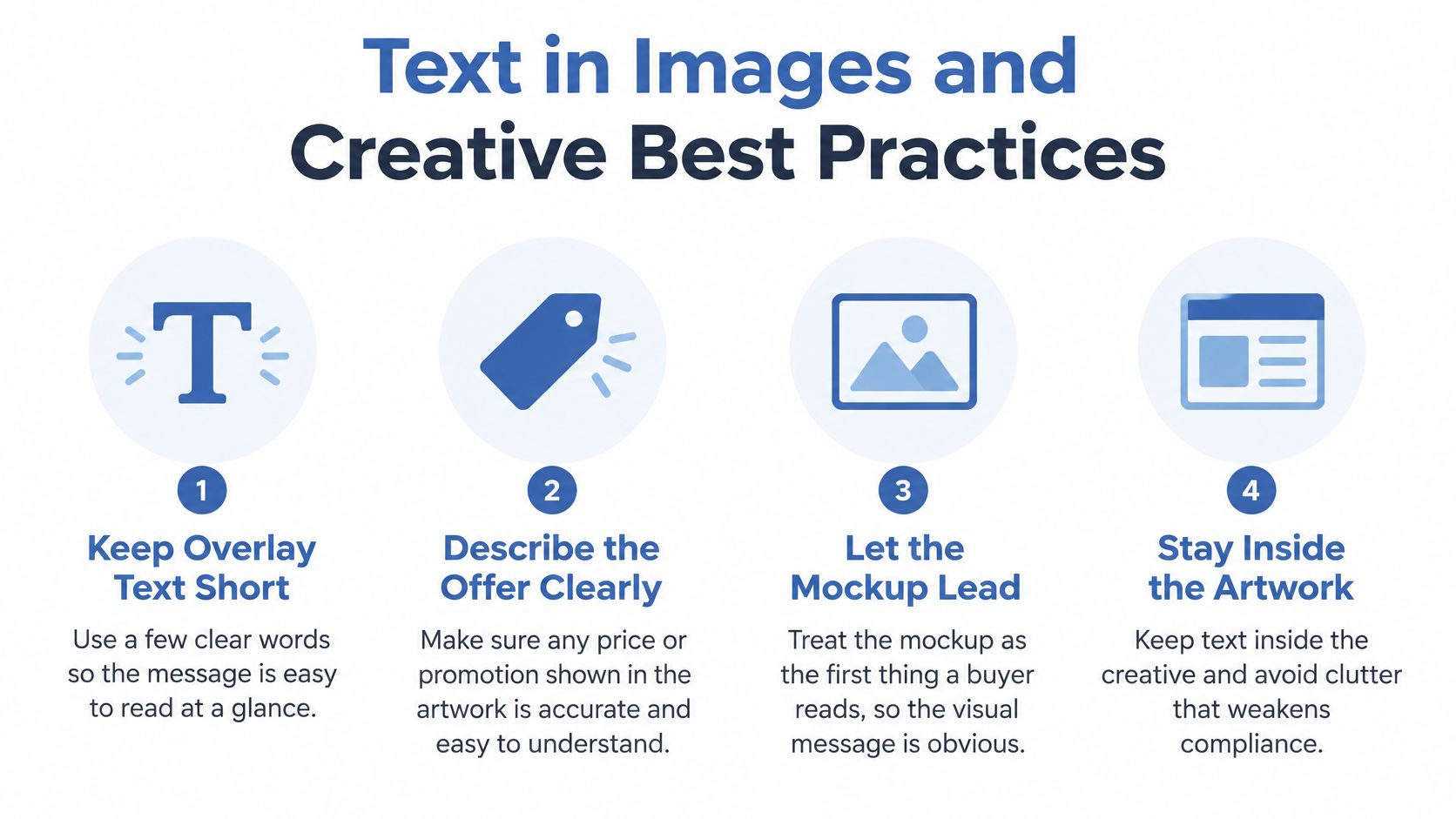
Your mockup is often the first thing a potential customer reads. The garment, artwork, promotional badge, and overlay text all contribute to what that person believes you're selling.
Treat the image as a product explanation, not an opportunity to squeeze in every selling point. A clear visual lets buyers understand the design before they decide whether to click.
Make the visual promise easy to verify
- Keep overlay text short. Use a descriptive phrase rather than a paragraph covering the garment. This is a readability recommendation, not a claim that short text guarantees approval.
- Match promotional text to the store. If the image advertises a discount, open the destination and test the offer before publishing. Remember to check the selected size and color.
- Use genuine urgency only. Remove countdown graphics or last-chance badges when there's no real deadline or stock condition behind them.
- Show the actual product. Check garment style, color, print placement, and design proportions against the item your fulfillment setup will produce.
Say your ad shows a large back print on a cream sweatshirt. If the listing opens on a black tee with a small chest design, buyers must work out whether they've reached the right place. Choose the matching product and variant instead.
Keep speed separate from verification
AvatarIQ is an option for generating apparel designs and product mockups quickly, helping you prepare related creative and listing assets in the same workflow. You still need to verify the output against the product you'll fulfill.
Avoid another brand's name, logo, or a celebrity's likeness without appropriate permission. Also inspect generated artwork for accidental lettering, recognizable marks, or garment details that aren't part of your actual product.
For practical composition ideas, use this guide to creating Facebook ad images for print-on-demand. Keep compliance and visual appeal as parallel checks rather than assuming an attractive image satisfies both.
Your final image checklist can stay simple: a clear product, readable text, no misleading claims, and a recognizable match on arrival.
Creative checkpoint: Would a buyer recognize the advertised item immediately after clicking, without needing an explanation?
Strong, honest creative gives customers a sound reason to trust what they see. That's a better foundation for testing ads than attracting attention with an offer the store can't fulfill.
Common Disapproval Reasons and How to Fix Them
A rejection citing misleading content can feel confusing when the shirt graphic looks fine. Start by inspecting the offer surrounding it: the discount, testimonial, product description, and checkout conditions.
Meta's prohibited commercial practices policy addresses deceptive pricing, unauthorized endorsements, and guaranteed investment returns used to mislead people or businesses for commercial or financial gain. For a POD seller, that means checking the commercial message rather than blaming the fulfillment model.
Disapproval signals, causes and fixes
| Disapproval Signal | Likely Cause | Fix | Effort |
|---|---|---|---|
| Misleading price or discount | Ad shows a sale price the product page does not offer | Match the ad price to the live checkout price and show the real original price | One-day fix |
| Personal attribute wording | Copy addresses a trait such as health, family status or age | Rewrite to describe the design rather than assigning a trait to the viewer | One-day fix |
| Guaranteed results or earnings | Claims of guaranteed sales, income or returns | Remove the promise and describe the product's features instead | One-day fix |
| Mismatched artwork text | Text on the mockup claims an offer or feature the store does not have | Align the artwork text with the listing before resubmitting | Deeper fix if the product page must be rebuilt |
| Unauthorized endorsement or brand use | Celebrity, influencer or brand name used without permission | Remove the name or likeness, or obtain written permission | Deeper fix if a licence must be negotiated |
The effort labels are planning estimates for straightforward edits, not promises about completion or Meta's review timing. Obtaining permission or rebuilding a destination can require substantially more work than changing a headline.
Diagnose before you resubmit
Read the rejection notice and inspect the component it identifies. Then open the ad's actual destination, not the page you intended to link.
For a discount problem, follow the purchase path through variant selection and checkout. A sale available only on a different garment won't support the advertised offer.
For an endorsement problem, don't substitute a different famous name. Remove the unsupported association and check other ads using the same template.
If copy needs rewriting, this guide to writing Facebook ad copy for print-on-demand can help you replace inflated claims with concrete product details. Fabric, fit, artwork theme, and available options give you useful material without invented outcomes.
Choose correction or another review
Meta's ad-review policy guidelines explain that advertisers can revise rejected ads or submit a new version, and can request another review when they believe a decision was incorrect.
Use that distinction carefully. Correct an actual mismatch before resubmitting; request another review when you can explain why the existing ad complies.
Keep a short internal note containing the issue, affected assets, and correction. If the same phrase or promotion appears in older ads, update those too.
Fix the cause, not just the rejected submission. That turns a frustrating interruption into a stronger process for your next launch.
Market Rules and the Pre-Launch Checklist
Ordinary tees and hoodies give beginners a straightforward starting point for broad-audience advertising. Keep those offers distinct from regulated services and sensitive campaigns, and check the requirements for each country you serve.
A shirt featuring a house illustration isn't automatically a housing advertisement. What matters is the actual offer and message. If the destination promotes housing opportunities, employment, or credit alongside the apparel, don't assume the clothing product makes the entire campaign ordinary retail.
Standardize the basics and adapt by market
Under Meta's financial-services and targeting guidance, credit, loan, and insurance ads must target adults and may require identity or regulatory authorization checks; housing, employment, and credit advertisers targeting the US, Canada, and certain European countries cannot use age, gender, or ZIP code targeting.
Those restrictions don't mean an ordinary apparel seller must categorize every campaign as a financial service. They mean you should identify what you're promoting before selecting audiences and categories.
Political and social-issue advertising needs a separate assessment. The USENIX Security audit of Facebook political advertising describes authorization, identity and location confirmation, and payer disclosure requirements. Don't assume a political slogan becomes an ordinary commercial message because it appears on a tee.
Alcohol-related offers also warrant category and market checks. Don't generalize political payer-disclosure requirements to every drinking-themed design.
For international selling, standardize your original artwork, truthful copy, and product-matching practices. Adapt country-specific claims, disclosures, shipping availability, and purchase conditions to the places you serve.
Run the customer-journey audit in order
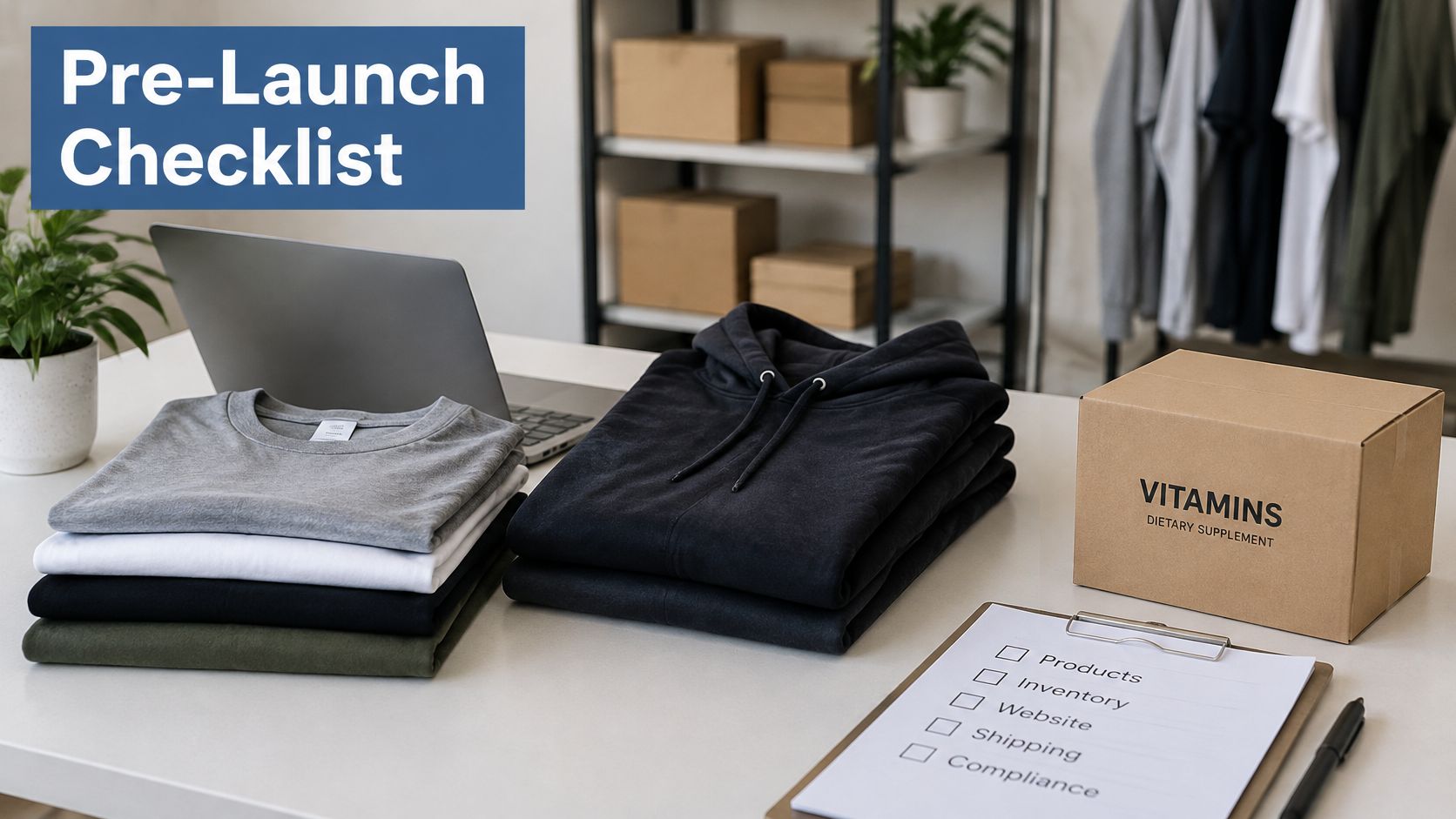
Confirm the delivered product. Compare the ad mockup with your fulfillment configuration. Verify garment style, design file, print location, and available colors. Order a sample when you need to resolve uncertainty about the physical result.
Check the buying conditions. Open the product page from the ad preview. Confirm the advertised price is available, shipping information is understandable, and return terms are accessible. Separate production time from transit time so buyers don't mistake one for the other.
Remove unsupported promises. Search the offer for exaggerated scarcity, earnings claims, and health language. Replace them with details you can verify, such as garment features and the artwork's theme. A made-to-order item doesn't need a fictional low-stock warning.
Read every text surface together. Review primary text, headline, lettering within the artwork, promotional badges, and the landing page. Read them aloud as a continuous sales message. This helps you notice implications that aren't obvious when editing each component separately.
Verify permissions. Confirm that endorsements, brand references, and recognizable likenesses are authorized for the intended use. Keep permission records with the campaign assets. If permission is uncertain, use your own original creative instead.
Check category and geography. Confirm the countries selected, the nature of the offer, and any relevant authorization or disclosure requirements. For a beginner, a focused launch in a market you understand is easier to audit than expanding everywhere at once.
Monitor after publication. Watch ad status and revisit the buying experience when you change the store. Before increasing spend, check that the campaign has run without unresolved compliance issues and that the advertised offer still works.
Build a launch process you can repeat
Save this checklist alongside each product's artwork and listing notes. When you introduce a new design, duplicate the process, not unverified promises from an old campaign.
Running cleanly isn't a guarantee of permanent approval or profitable advertising. It does give you a more reliable starting point for testing demand, improving creative, and deciding when to scale.
You don't have to abandon personality to follow Facebook ad rules. Original designs, thoughtful humor, and clear offers leave plenty of room to build an apparel business you're proud to share.
Skup's Apparel Cloning System walks beginners through finding proven product opportunities, developing unique designs, and launching POD stores step by step, with compliance checks built into a practical selling workflow. Visit Skup to explore the system, then use this customer-journey checklist to prepare your next apparel campaign with confidence.