Slow Sales on eBay: A Seller’s Action Plan for More Sales
You launch a batch of POD apparel designs, watch impressions arrive, and then stare at the same empty order dashboard for weeks. The natural reaction is to cut prices, rewrite every title, and blame the market. That reaction usually creates more noise than progress.
Slow sales on eBay are usually a funnel problem, not a motivation problem. You need to identify whether buyers aren't seeing the listing, aren't clicking it, or aren't buying after the click. Once you know the broken stage, the fix becomes practical, measurable, and much less emotional.
Table of Contents
- Why Your Listings Feel Stuck Right Now
- The Funnel Diagnosis That Beats Guessing
- Auditing Your Listings for Conversion
- Pricing Shipping and STR Like a Pro
- Promotions Keywords and Seasonal Timing
- Using Analytics to Iterate and Win
- Your Next 30 Days on eBay
Why Your Listings Feel Stuck Right Now
A POD apparel seller can launch 40 designs, see impressions climb, and still watch sales flatline for three weeks. That feels like failure because the seller has done the visible work, created products, uploaded listings, and waited for buyers. The dashboard, however, doesn't care how much effort went into the launch. It reflects how effectively each listing moves a buyer from discovery to purchase.
eBay remains a massive marketplace. The company reported $79.6 billion in GMV in 2025, up from $74.7 billion in 2024, and said it had 136 million active buyers in Q1 2026. At the same time, roughly 17.6 million active sellers operated on eBay in 2024, creating intense competition even when overall demand remains broad. You can review more context in eBay's 2025 results.
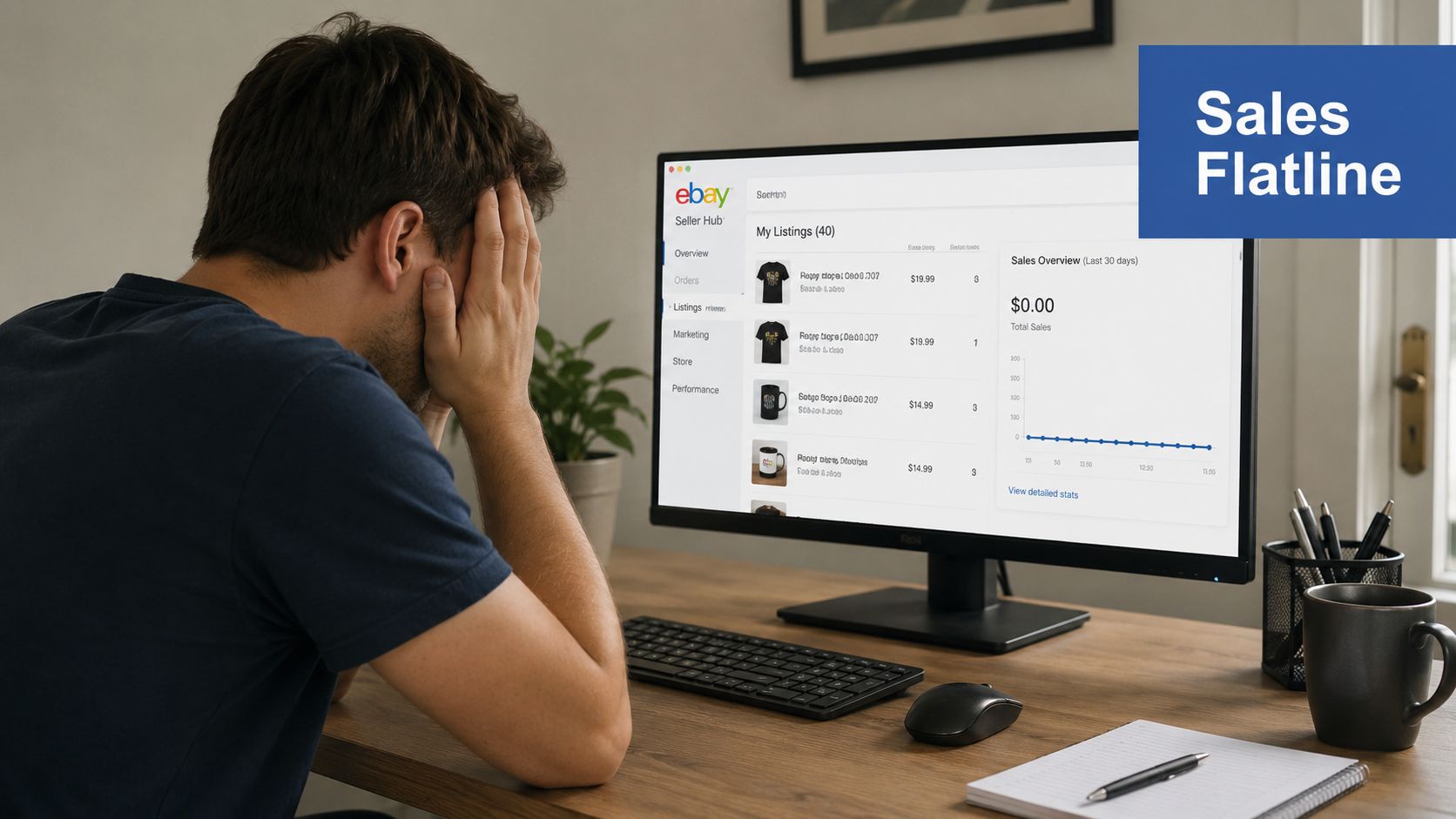
Competition creates the illusion of a dead store
The platform's scale doesn't guarantee that every listing gets equal attention. A strong design can still lose visibility when similar products crowd the same niche, when the seller's history is weak, or when the catalog contains multiple listings competing for nearly identical searches.
Seasonality adds another layer. Electronics had strong search interest in 2025, while category demand can soften during spring and summer before rebounding later in the year, as discussed in recent eBay market-trend coverage. A Halloween shirt listed too late, a graduation design after the ceremony season, or a winter garment during a warm-weather trough may be perfectly good products at the wrong moment.
Your own catalog can also dilute attention. If you publish many near-identical designs with the same garment, audience, and keywords, those listings may compete for the same impressions instead of expanding your reach.
Practical rule: Don't change price until you know whether the listing has a visibility problem, a click problem, or a conversion problem.
Treat the recovery as a diagnostic exercise. Check the funnel, isolate the weak stage, apply a targeted change, and give the listing enough time to produce a readable signal. In most cases, you should expect meaningful evidence over 7 to 14 days, not instant results after an edit.
For product ideas, use what is selling well on eBay as a starting point, then validate the specific niche, buyer intent, and competition inside your own Seller Hub data.
The Funnel Diagnosis That Beats Guessing
Start with the only sequence that matters:
Impressions → clicks → sales
eBay defines click-through rate, or CTR, as clicks divided by impressions. If 100 people see a listing and 5 click, the CTR is 5%. eBay defines sell-through rate, or STR, as sales divided by clicks. If 100 clicks produce 1 sale, the STR is 1%. Seller Hub can surface impressions, clicks, CTR, and STR together through its listing analytics guidance.
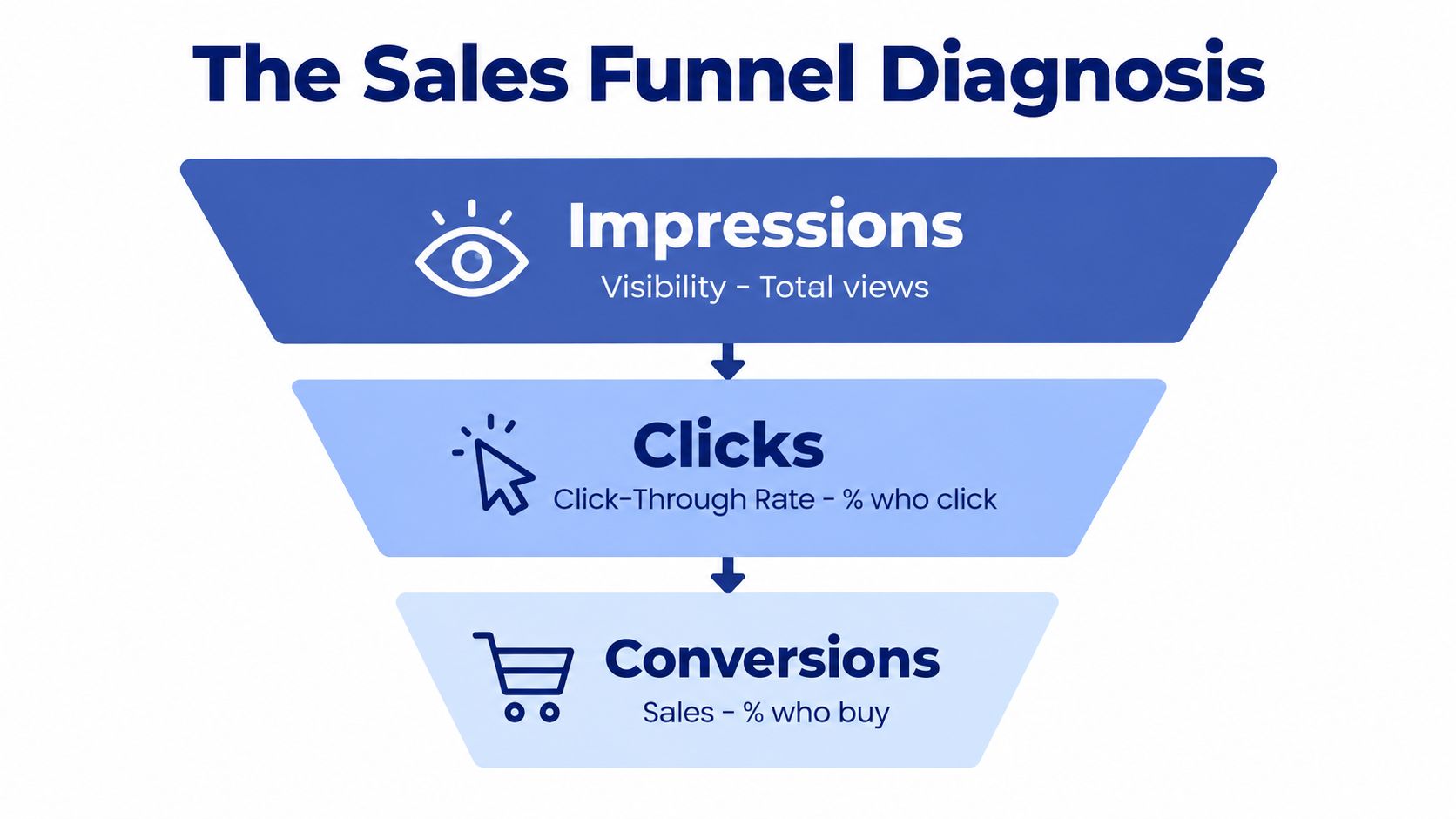
Read the report in the right order
Pull the last 30 days from Seller Hub, Traffic, Listings. Don't begin by sorting for revenue. Sort by the funnel stages so you can see where buyer movement stops.
| Funnel stage | What to inspect | Likely issue |
|---|---|---|
| Impressions | Search visibility and listing exposure | Keywords, category, item specifics, competition |
| Clicks | CTR and thumbnail appeal | Main image, title relevance, price position |
| Sales | Purchases after the click | Description, shipping, returns, condition, trust |
Low impressions mean buyers aren't finding you. Rework the title's search intent, complete missing item specifics, check category placement, and compare the product with active competitors.
Healthy impressions with weak clicks point somewhere else. Your thumbnail may be unclear, the design may be unreadable at mobile size, or the title may promise something the image doesn't immediately confirm. POD designs often suffer here because the seller targets the phrase that describes the design instead of the phrase the buyer searches.
Clicks without sales expose the listing-page problem. Buyers have shown interest, but the page hasn't removed enough uncertainty around fit, fabric, measurements, delivery, returns, or total cost.
Use category demand before making a rescue edit
eBay Product Research and Marketplace Research provide historical sold data, active seller information, and STR over a period of up to three years. Seller education commonly treats 50% or higher STR as strong, below 20% as weak, and below 10% as a caution signal, according to eBay's Product Research resources.
A category with 40% STR and your listing at 10% STR suggests your listing needs work. A category below 20% may indicate weak demand, heavy competition, seasonality, or saturation. Don't punish a listing for failing inside a market that rarely moves.
Auditing Your Listings for Conversion
Audit your five slowest listings before touching the rest of the catalog. A disciplined review should take less than an hour, and it should leave you with specific edits rather than a vague feeling that the listing needs improvement.
Start with the buyer's first screen
Your main image earns the click. Use a clean background, clear lighting, and an apparel mockup that makes the garment and design easy to understand. For POD apparel, add lifestyle context without filling the frame with distracting props. Include images that show fit, fabric detail, and the size chart.
Your title should identify the product in the order a buyer needs it. A practical structure is brand, primary keyword, attribute, size, and color. Don't spend title space on filler language. A buyer searching for a niche shirt should understand the garment, audience, design theme, and key variation immediately.
Write a description of at least 200 words, but put buyer benefits before technical features. Explain who the garment suits, what the design communicates, and why the fit or material matters before listing measurements and care instructions. Keep paragraphs short for mobile readers.
Complete the data eBay uses to classify the item
Fill every relevant item-specific field. Brand, country of origin, size type, color, material, garment type, and condition can affect how buyers filter and compare apparel listings. Empty fields can keep a product out of narrowed searches even when the title contains a relevant phrase.
Category placement deserves its own review. Many POD sellers place every shirt in a broad general T-shirt category, even when a more specific niche category better matches the buyer's intent. A relevant category gives the buyer better filtering options and makes the listing easier to compare with genuine alternatives.
Design legibility is a common POD failure. A small chest print under 10 inches can disappear in a mobile thumbnail, especially when the mockup uses a distant model image. Keep the primary image clean and add a bold secondary mockup that shows the artwork at a useful scale.
Use this scorecard to review each listing:
| Audit Pillar | 0 (Failing) | 2 (Passing) |
|---|---|---|
| Photos | Blurry, cluttered, or only one useful view | Clear main image plus fit, detail, and size visuals |
| Title | Generic phrase with missing buyer intent | Product, niche keyword, attribute, size, and color are clear |
| Description | Thin copy that lists features only | Benefits, measurements, material, care, and policies are easy to scan |
| Item specifics | Important fields are blank | Relevant fields are complete and accurate |
| Category | Broad or mismatched placement | Specific category matches the garment and buyer use |
| Mobile clarity | Design or copy is hard to understand | Thumbnail, bullets, and details read quickly on a small screen |
A focused audit improves the listing's ability to close the sale. Use this ecommerce conversion rate guide for a broader conversion checklist, then apply the same buyer-first standard to your eBay pages.
Pricing Shipping and STR Like a Pro
Price is easy to change, which is why sellers reach for it too early. First, use eBay Product Research to compare sold prices and STR for the exact category, garment format, condition, and variation. A category-level benchmark tells you whether demand exists before you trade margin for a discount.
Compare your listing with the top 20 sold competitors. Look at the complete buyer proposition, not just the item price. If your shirt costs more and presents weaker photos, the problem is perceived value. A lower price might produce a short-term order, but better presentation can protect the business you want to scale.
Shipping changes the total price buyers feel
For apparel priced under $25, free shipping with the cost built into the item price can be easier for buyers to understand than calculated shipping. Buyers often compare the total checkout cost, so a lower headline price can lose its advantage after shipping appears.
POD apparel also competes with ready-to-ship tees. Your product can win through a sharper niche, clearer design, better mockups, or a more trustworthy listing, but you can't ignore the buyer's expectation of delivery and total cost. Set handling times accurately, communicate delivery clearly, and make returns easy to understand.
| Funnel Problem | Pricing Tactic | Shipping Tactic |
|---|---|---|
| Low clicks | Align total price with sold competitors | Show a simple, competitive delivered cost |
| Clicks without sales | Improve perceived value before discounting | Clarify delivery timing and return terms |
| Healthy clicks, weak STR | Test measured price changes | Reduce checkout uncertainty |
| Seasonal slowdown | Use a targeted markdown | Keep delivery promises visible |
Test changes gradually. A modest price adjustment can reveal whether price is the blocker, while a large slash destroys your ability to learn. Use markdown offers to reach watchers and buyers who left items in their carts. For international buyers, build a clear fulfilment process using cheap international shipping guidance and avoid promising delivery you can't control.
Promotions Keywords and Seasonal Timing
Promotions should accelerate a listing that already earns clicks and converts. They shouldn't disguise a bad thumbnail, incomplete item specifics, or a weak product-market fit. Fix the foundation first, then stack offers, ads, and timing around products that show genuine demand.
A practical promotion sequence starts with a 10% to 15% markdown offer, set to apply automatically for eligible watchers when the option is available. Pair that offer with seasonal research from Terapeak so the discount reaches buyers when intent is rising, not when the category is quiet.
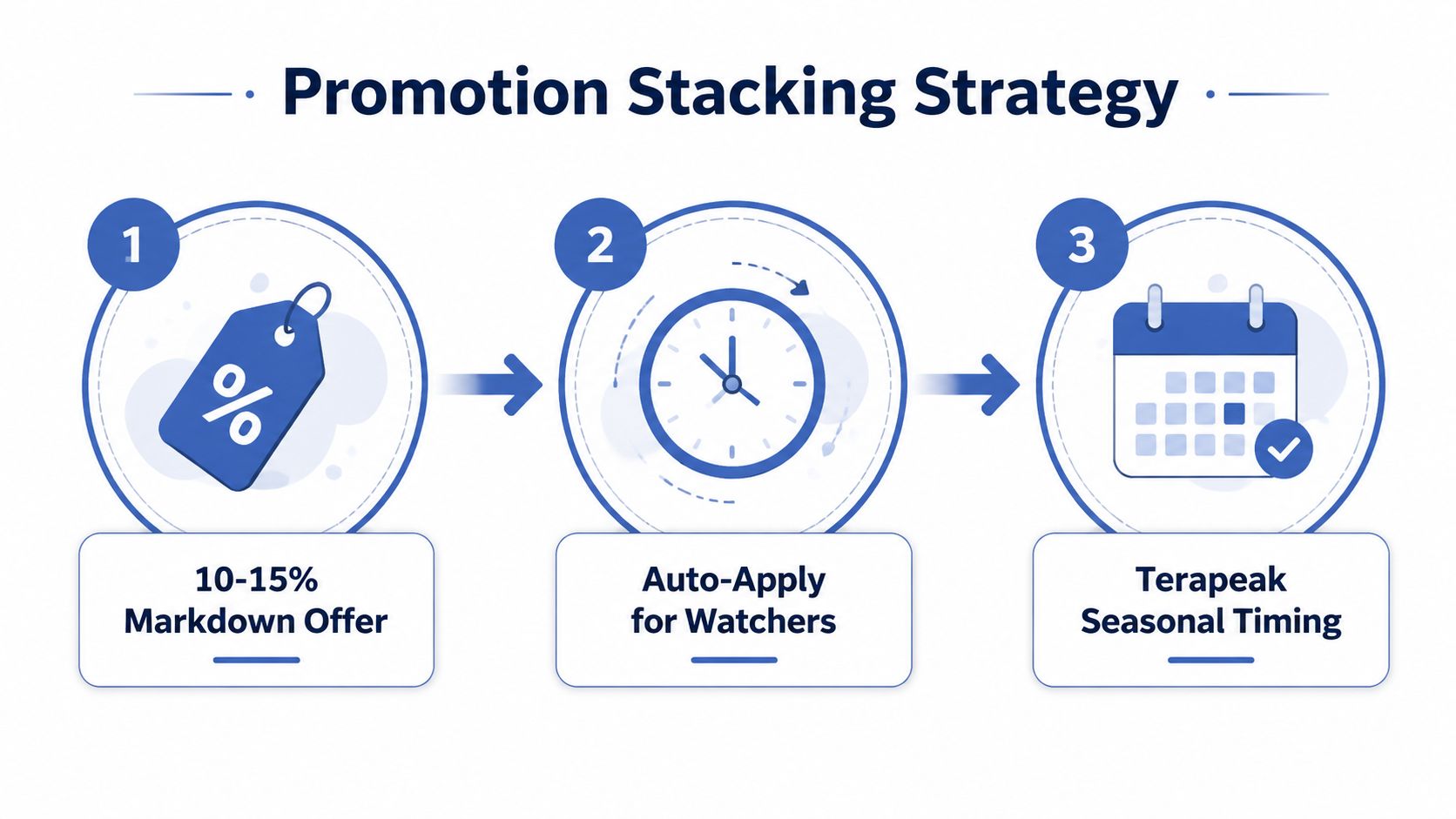
Build the stack around buyer intent
Back-to-school apparel needs preparation before the buying rush. Halloween designs need enough lead time for buyers to discover and compare them. Ugly sweater designs should appear before the seasonal buying window becomes crowded. The exact dates vary by audience and category, so use search behavior and your own historical sales rather than a fixed calendar.
Run Promoted Listings Standard on proven winners with healthy STR. Use Promoted Listings Advanced only when the listing has clean conversion data and enough margin to absorb the cost-per-sale model. Paid visibility can't repair a product that attracts clicks but fails to close.
Keywords also need maintenance. Review search terms connected to sold listings, eBay autocomplete suggestions, and first-page competitor titles. Refresh titles when buyer language changes, but don't rewrite every listing at once. Change one variable, record the date, and watch the resulting traffic.
POD apparel gives you a speed advantage when a trend appears. When a meme or cultural phrase starts moving on TikTok or Pinterest, a simple, readable design can beat a polished design that arrives after attention has peaked. Move quickly, but keep the artwork original and commercially safe.
Using Analytics to Iterate and Win
Seller Hub traffic reports are the honest mirror. Most sellers open them only after a bad month, which turns a correctable signal into a larger problem. Review the last 90 days by listing and separate impressions, CTR, conversions, and STR so you can distinguish discoverability from appeal and closing ability.
eBay's analytics guidance confirms that Seller Hub can show these measures together, which makes the funnel useful as an operating system rather than a one-time audit. The platform had approximately 134 million active buyers and 18.3 million active sellers in Q1 2025, while listings reached roughly 2 billion worldwide, according to marketplace trend analysis. That structure means attention concentrates on listings that remain relevant, clear, competitive, and operationally reliable.
Run a weekly testing rhythm
Use a simple cadence:
- Monday, clean the bottom: Find listings with weak visibility or no useful movement. Rewrite, consolidate, or retire them instead of letting them consume attention.
- Wednesday, test the winners: Choose strong listings and change one title or thumbnail variable. Keep the test controlled so you know what caused the result.
- Friday, review promotion quality: Check paid campaigns and move budget toward listings that convert better than your account average.
Track niches, not just SKUs. If a particular audience responds to a design style, carry that formula into new colorways and garment types. If one niche produces impressions but no clicks, the audience or keyword assumption may be wrong.
Think of each listing as a hypothesis, not a child. You can improve a hypothesis, combine it with a stronger concept, or remove it when the evidence says the market isn't responding. That mindset keeps you excited about experimentation without becoming attached to weak inventory.
Your Next 30 Days on eBay
Slow sales are a solvable systems problem. eBay assigns sellers a performance level of Below Standard, Above Standard, or Top Rated, based on a monthly evaluation of recent activity, as explained in eBay's seller performance standards. Protecting that account health matters because eBay's standards include no more than 2 cases closed without seller resolution or 0.3% of transactions, and no more than a 2% transaction defect rate, according to eBay's seller standards policy.
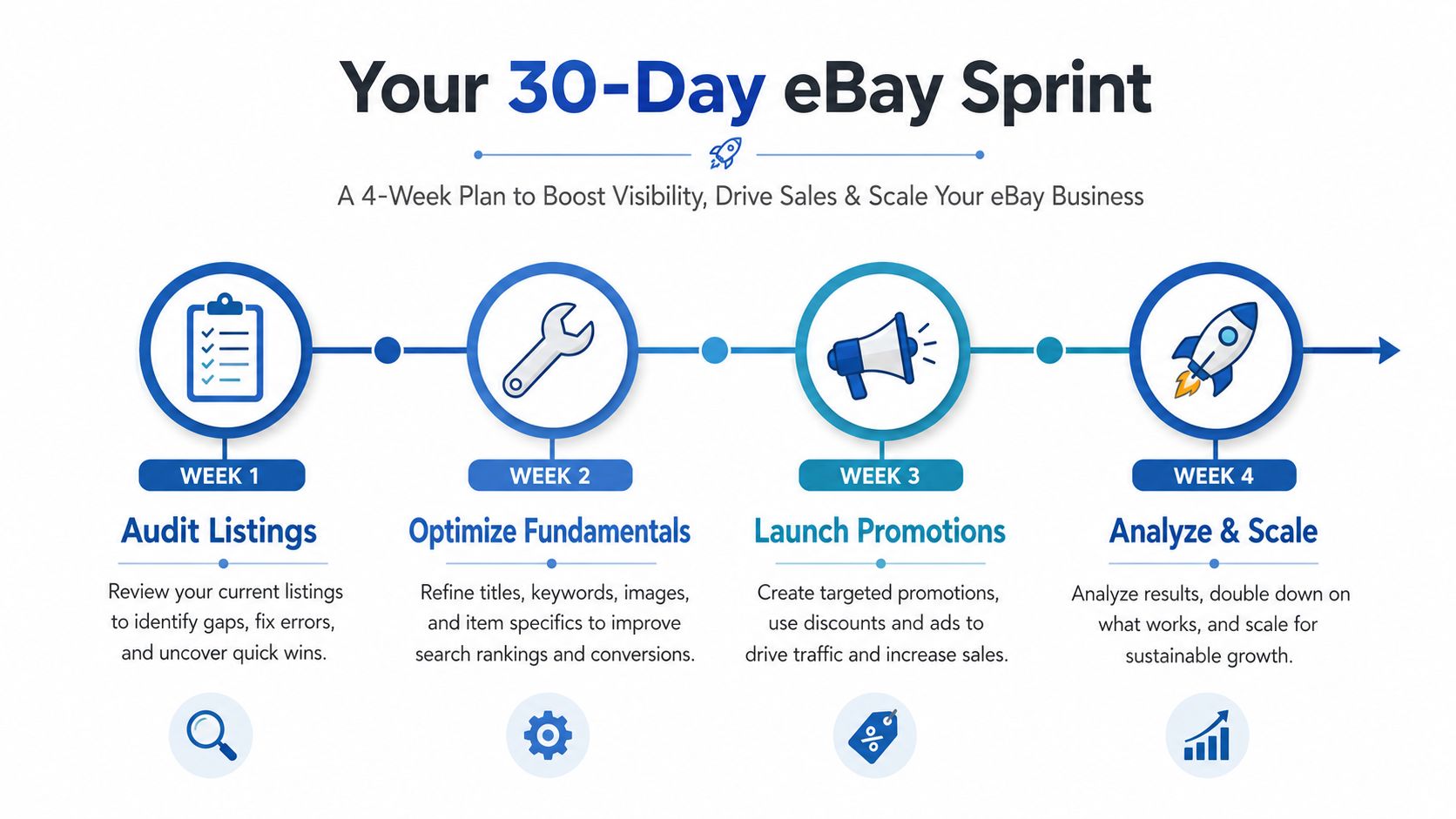
Execute the sprint
Week 1, audit listings. Pull your funnel data, identify the weakest stage, and review every important listing against the scorecard.
Week 2, optimize fundamentals. Replace weak photos, sharpen titles, complete item specifics, improve mobile readability, and verify categories.
Week 3, test commercial levers. Compare sold prices, adjust shipping presentation, test measured pricing changes, and launch one Promoted Listings campaign per category on listings that deserve more exposure.
Week 4, analyze and scale. Review Seller Hub results, remove underperformers, and expand the design formulas, colors, and garment types that attract buyers.
For POD apparel, add a parallel design loop. Launch two new designs per week based on search demand, then retire concepts that remain below your target STR after proper testing. Each cycle creates better title language, stronger visual judgment, and more reliable pricing data. Month two should feel more focused because you aren't rebuilding your strategy from scratch.
Skup fits as an automation layer for this workflow. Its AvatarIQ software creates apparel designs and mockups, while its Apparel Cloning System teaches a structured method for finding proven product patterns and adapting them into new niches. The point isn't to publish more random listings. It's to create, test, and improve a catalog with a repeatable operating process.
Skup can help you turn slow sales on eBay into a repeatable optimization sprint by connecting apparel design, mockup creation, listing improvement, and ongoing iteration. Visit Skup to explore AvatarIQ and the Apparel Cloning System, then start your next 30-day test with a clearer process and stronger execution.