How to Use Facebook Lookalike Audiences for Print on Demand
Quick Answer
Facebook Lookalike Audiences let you find new customers who share characteristics with people who’ve already bought from your store. For print-on-demand sellers, this means targeting people similar to your existing buyers—dramatically improving ad performance once you have purchase data. You’ll need at least 100 purchases (ideally 500+) before Lookalikes become truly effective.
What Are Facebook Lookalike Audiences?
Think of Lookalike Audiences as Facebook’s way of cloning your best customers. You give Facebook a “source audience” (like people who purchased from your store), and their algorithm finds other users who look, behave, and shop similarly.
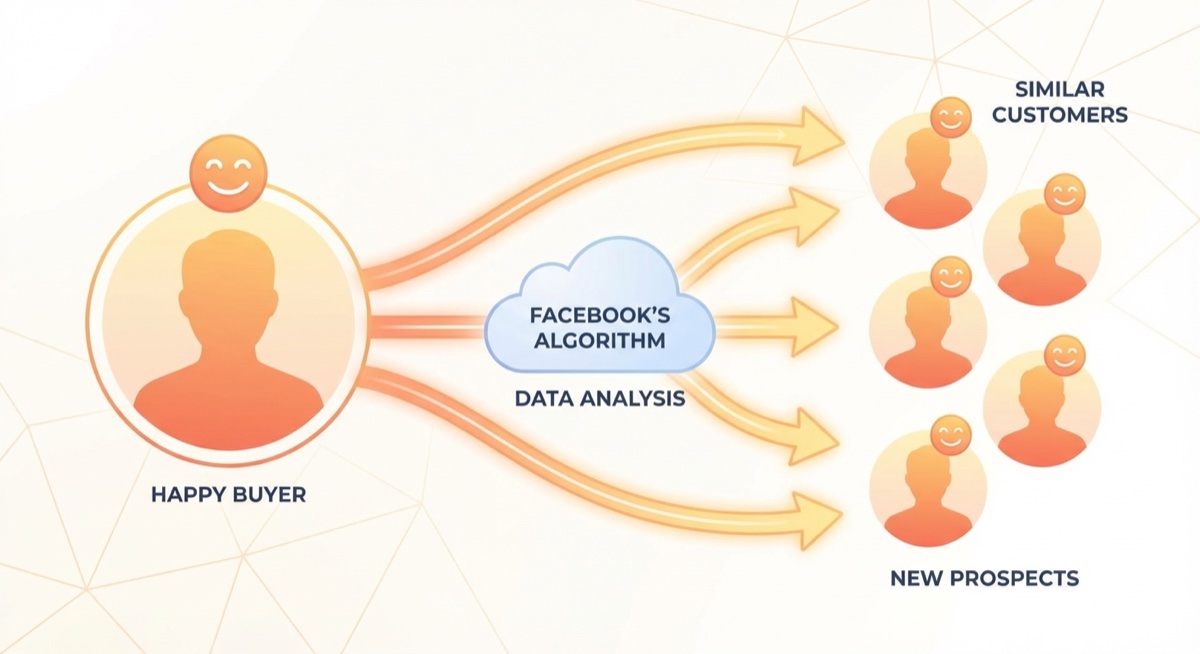
For POD sellers, this is powerful because it moves you beyond guessing which interests to target. Instead of hoping dog lovers want your dog t-shirts, you’re showing ads to people who actually resemble the people already buying dog t-shirts.
“Once you have purchase data, Lookalikes become your best friend,” explains Matt Schmitt, who has helped Skup students generate over $50 million in print-on-demand sales. “It’s the difference between throwing darts blindfolded and letting Facebook’s AI do the targeting for you.”
When to Start Using Lookalike Audiences
Here’s where most beginners go wrong: they try to create Lookalikes too early.
The minimum threshold: 100 events (purchases, add-to-carts, or page views) in your source audience. However, Facebook’s algorithm works significantly better with 500-1,000+ events.
Recommended approach for POD:
- 0-50 sales: Stick with interest targeting. Your pixel doesn’t have enough data yet.
- 50-100 sales: You can test Lookalikes, but keep interest targeting as your primary strategy.
- 100-500 sales: Start shifting budget toward Lookalikes. Test 1% and 2% audiences.
- 500+ sales: Lookalikes should be a core part of your strategy. Test broader percentages.
How to Create a Lookalike Audience (Step-by-Step)
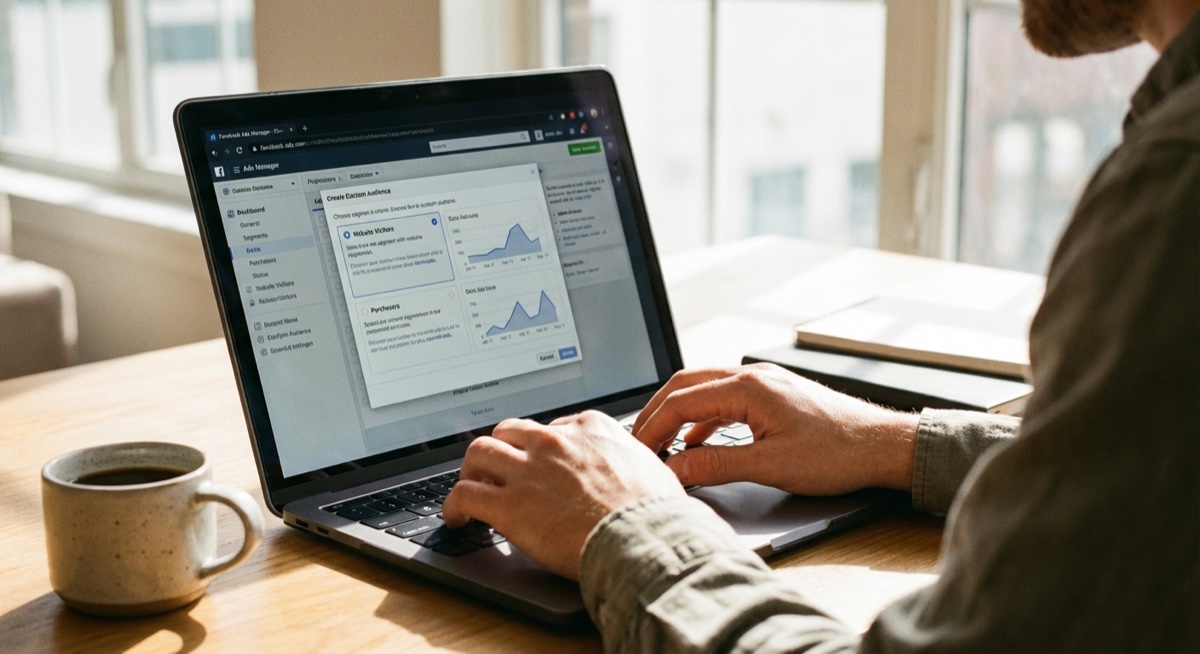
Step 1: Build Your Source Audience
Go to Facebook Ads Manager → Audiences → Create Audience → Custom Audience. Select “Website” and choose your event (Purchase is best, but Add to Cart works if you don’t have enough purchases).
Step 2: Create the Lookalike
Select your Custom Audience → Create Lookalike. Choose your target country and audience size percentage.
Step 3: Select Your Percentage
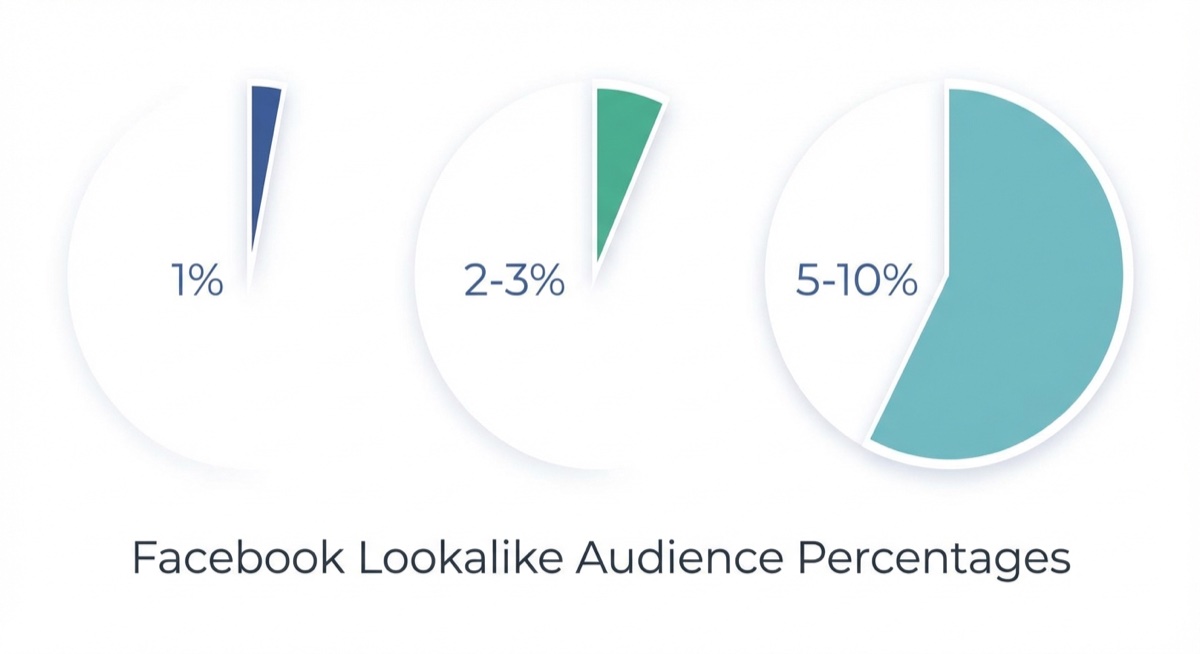
- 1% Lookalike: The top 1% of users most similar to your source. Smallest but most precise.
- 2-3%: Slightly broader, still high quality. Good for scaling.
- 5-10%: Much broader. Use for larger budgets or when smaller percentages are exhausted.
Pro tip: Start with 1% Lookalikes. They consistently outperform broader audiences for POD sellers with limited budgets.
Best Source Audiences for Print-on-Demand
Not all Lookalikes are created equal. Here’s what works best for POD:
Tier 1 (Best):
- Purchasers (last 180 days)
- Repeat purchasers
- High-value purchasers (top 25% by order value)
Tier 2 (Good):
- Add-to-cart (last 30-60 days)
- Initiated checkout
- 95% video viewers (if you run video ads)
Tier 3 (Starting Point):
- Website visitors (last 30 days)
- Page viewers
- Engaged with your Facebook page
Always prioritize purchase-based Lookalikes when possible. Facebook optimizes for what you tell it—a Lookalike based on page visitors will find more page visitors, not necessarily buyers.
Common Lookalike Mistakes to Avoid
Starting too early: Creating Lookalikes with only 20-30 purchases gives Facebook insufficient data. The algorithm needs patterns, and small samples create noise, not signal.
Ignoring audience overlap: If you’re running multiple Lookalike ad sets, check for overlap in Ads Manager. High overlap means you’re bidding against yourself.
Never refreshing your source: Your customer base evolves. Update your Custom Audiences monthly so Lookalikes reflect your current buyers, not who bought six months ago.
Only testing 1%: While 1% is often best, sometimes 2-3% Lookalikes outperform. Test different percentages—results vary by niche and season.
Abandoning interest targeting entirely: Even with great Lookalikes, interest targeting can find customers your pixel hasn’t seen yet. Use both.
Real Results: Lookalike Audiences in Action
When POD sellers hit the Lookalike threshold, results often accelerate. Take Ede Sartori, a Skup student who achieved $6,557 in their first 30 days. Once purchase data accumulated, shifting budget to Lookalike audiences helped scale profitably.
The pattern repeats across successful students: interest targeting builds the initial customer base, then Lookalikes amplify what’s already working.
FAQ
How long does it take for a Lookalike Audience to work?
Lookalike Audiences are available immediately after creation, but Facebook recommends waiting 24-48 hours before using them in campaigns. The algorithm needs time to fully build the audience. For best results, let your ad sets run 3-5 days before making optimization decisions.
Can I use Lookalike Audiences with a new store?
Technically yes, but it’s not recommended. New stores lack the purchase data needed for effective Lookalikes. Focus on interest targeting and building your pixel data first. Once you hit 100+ purchases, Lookalikes become viable.
Should I exclude my Custom Audience from my Lookalike campaigns?
Yes—always exclude your source Custom Audience from Lookalike campaigns. Otherwise you’re potentially showing ads to people who already bought, which wastes budget on prospecting campaigns. Create a “Purchasers – All Time” exclusion list.
The Bottom Line
Facebook Lookalike Audiences are one of the most powerful tools for scaling a print-on-demand business—but timing matters. Build your customer base with interest targeting first, accumulate pixel data, then let Lookalikes amplify your success.
The students who scale fastest at Skup follow this pattern: prove the concept with interests, then pour fuel on the fire with Lookalikes. It’s not about choosing one or the other—it’s about knowing when each strategy makes sense.
Ready to build a POD business that generates real customer data? Learn how Skup students are hitting their first sales and building the foundation for Lookalike success.