Home » Blog » How to Read Facebook Ads Manager for Print on Demand
How to Read Facebook Ads Manager for Print on Demand
Staring at Facebook Ads Manager for the first time feels like looking at a cockpit full of gauges you don’t understand. Numbers everywhere. Columns you didn’t add. Metrics you’ve never heard of. Most print-on-demand beginners either get paralyzed by the data or—worse—make expensive decisions based on the wrong numbers.
You don’t need to understand every metric. You need to understand the right metrics for print-on-demand success.
Quick Answer
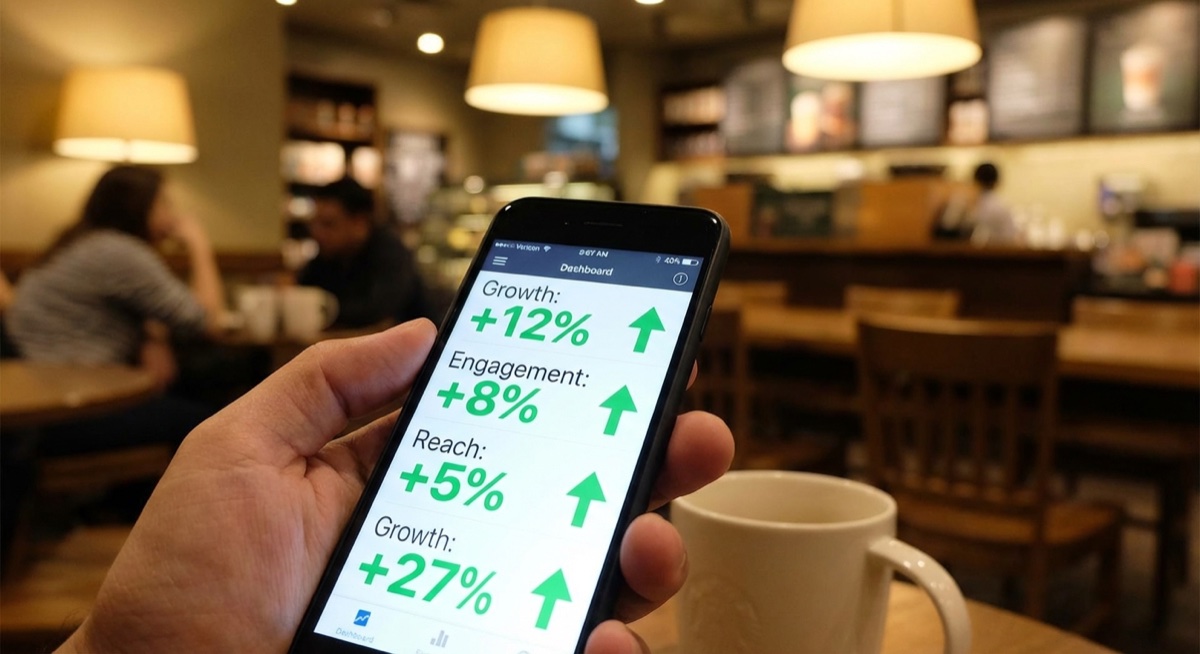
To read Facebook Ads Manager for print on demand, focus on four core metrics: cost per click (CPC), click-through rate (CTR), cost per purchase, and return on ad spend (ROAS). Customize your columns to show only these metrics, review at the ad level first, then work up to ad sets and campaigns. Make decisions after your ad has spent at least $20-30 and reached 1,000+ impressions.
Focus on the metrics that matter—not every number Facebook shows you.
The Four Metrics That Actually Matter
Facebook gives you access to dozens of metrics, but for print-on-demand sellers, only four determine whether your ad is working:
1. Cost Per Click (CPC)
This tells you how much you’re paying to get someone from Facebook to your store. For print-on-demand apparel, a healthy CPC is typically between $0.50 and $1.50. Higher than $2.00? Your creative or targeting needs work.
2. Click-Through Rate (CTR)
This percentage shows how many people clicked your ad out of everyone who saw it. According to eCommerce industry benchmarks, an average CTR is around 1%. For POD ads with strong creative, you should target 1.5% or higher.
3. Cost Per Purchase
The most important metric. This is what you actually pay to acquire a customer. As Matt Schmitt, founder of Skup and creator of the Apparel Cloning System, teaches: “Your cost per purchase needs to leave room for profit. If your average order is $35 and your product costs $15 to fulfill, you need your cost per purchase under $15-18 to make money.”
4. Return on Ad Spend (ROAS)
ROAS tells you how many dollars you earn for every dollar spent. A ROAS of 2.0 means you made $2 for every $1 in ads. For sustainable print-on-demand growth, aim for a minimum 2.5x ROAS, with 3x or higher being the goal for scaling.
How to Customize Your Columns
The default Ads Manager view shows metrics you don’t need. Here’s how to fix it:
Click “Columns: Performance” in Ads Manager
Select “Customize Columns”
Uncheck everything except: Results, Cost per Result, Amount Spent, Link Clicks, CPC, CTR, Impressions, and ROAS
Save as a preset called “POD Essentials”
This clean view eliminates the noise. You’ll see exactly what you need without scrolling through irrelevant data.
Understanding the Three Levels
Ads Manager organizes everything into three levels, and knowing which level to analyze matters:
Campaign Level: Shows overall performance. Use this for high-level decisions like “Is this campaign worth running at all?”
Ad Set Level: Shows targeting performance. If one audience converts and another doesn’t, you’ll see it here.
Ad Level: Shows creative performance. This is where you spend most of your analysis time. Which image or video is actually driving sales?
Always start at the ad level and work your way up. A campaign might look bad overall, but one ad inside it could be a winner worth isolating and scaling.
When to Make Decisions
The biggest mistake beginners make is acting too quickly. According to data from Skup’s coaching community, students who make decisions before $20-30 in spend often kill ads that would have become profitable.
Here’s the decision framework used by successful POD sellers:
Under $10 spent: Don’t touch anything. The data isn’t significant.
$10-20 spent: Look for early warning signs (extremely high CPC, zero engagement), but don’t kill unless metrics are catastrophic.
$20-30 spent: Now you can make informed decisions. No purchases and high CPC? Time to adjust or kill.
$30+ spent with purchases: Evaluate profitability. Is your cost per purchase sustainable?
Red Flags to Watch For
Certain patterns indicate problems you can spot early:
High impressions, low clicks: Your creative isn’t stopping the scroll. The image or headline needs work.
Good clicks, no add-to-carts: People reach your store but leave immediately. Check your landing page and product pricing.
Add-to-carts but no purchases: Checkout friction. Review shipping costs, trust signals, and payment options.
CPC over $2: Targeting too narrow or creative fatigue if it was lower before.
Common Mistakes Reading Ads Manager
After analyzing thousands of student ad accounts, these mistakes appear constantly:
1. Looking at the wrong time frame. Make sure you’re viewing “Last 7 Days” or a custom range, not “Lifetime” which can mask recent performance changes.
2. Comparing campaigns with different budgets. A campaign spending $100/day will have different metrics than one at $10/day. Compare within similar budget ranges.
3. Ignoring the learning phase. Facebook shows “Learning” status while optimizing. Metrics during this phase (usually the first 50 conversions) are less reliable.
4. Making emotional decisions. One bad day doesn’t mean an ad is dead. Look at 3-7 day trends before making changes.
5. Not checking the ad preview. Sometimes ads get disapproved or have display issues. Always verify your ad is actually running correctly.
Create a simple checklist to evaluate your ads consistently.
FAQ
How often should I check Facebook Ads Manager?
Check once in the morning and once in the evening. Checking more frequently leads to emotional decisions. The data doesn’t change meaningfully hour-to-hour for most budgets.
What does it mean when my ad is stuck in “Learning”?
Facebook is still gathering data to optimize delivery. This typically resolves after about 50 conversion events. If you’re stuck in learning, your budget might be too low or your audience too small to generate enough conversions.
Should I look at mobile vs desktop breakdown?
For print-on-demand, over 90% of traffic typically comes from mobile. The mobile vs desktop breakdown matters less than your overall ad-level performance. Focus on which creative wins, not which device.
The Bottom Line
Reading Facebook Ads Manager becomes simple once you filter out the noise. Focus on CPC, CTR, cost per purchase, and ROAS. Customize your columns to show only what matters. Make decisions at the ad level first, and always wait for statistical significance before changing anything.
The data tells you exactly what’s working—you just need to know which numbers to trust.
The smartest beginners in print on demand don’t start with the most crowded product. They start where buyers already assign value fast. Caps do that. The category sits inside a market that’s projected to grow to $57.49 billion to $102.99 billion by 2033 to 2034, which means the broader print-on-demand market could multiply 5 to…
You’re at the point where your store is proving the model works. Orders are coming in. A few designs are carrying more than the rest. Your ads are finding buyers. But your fulfillment partner is starting to feel like the ceiling, not the engine. Turnaround slips. Print quality varies. Margin gets thinner every time a…
A lot of people start looking up how to sell print on demand at the same moment in life. Work feels fixed. Income feels capped. You want something you can build after hours that does not require buying piles of inventory, renting a warehouse, or guessing how many units to order. That is why POD…