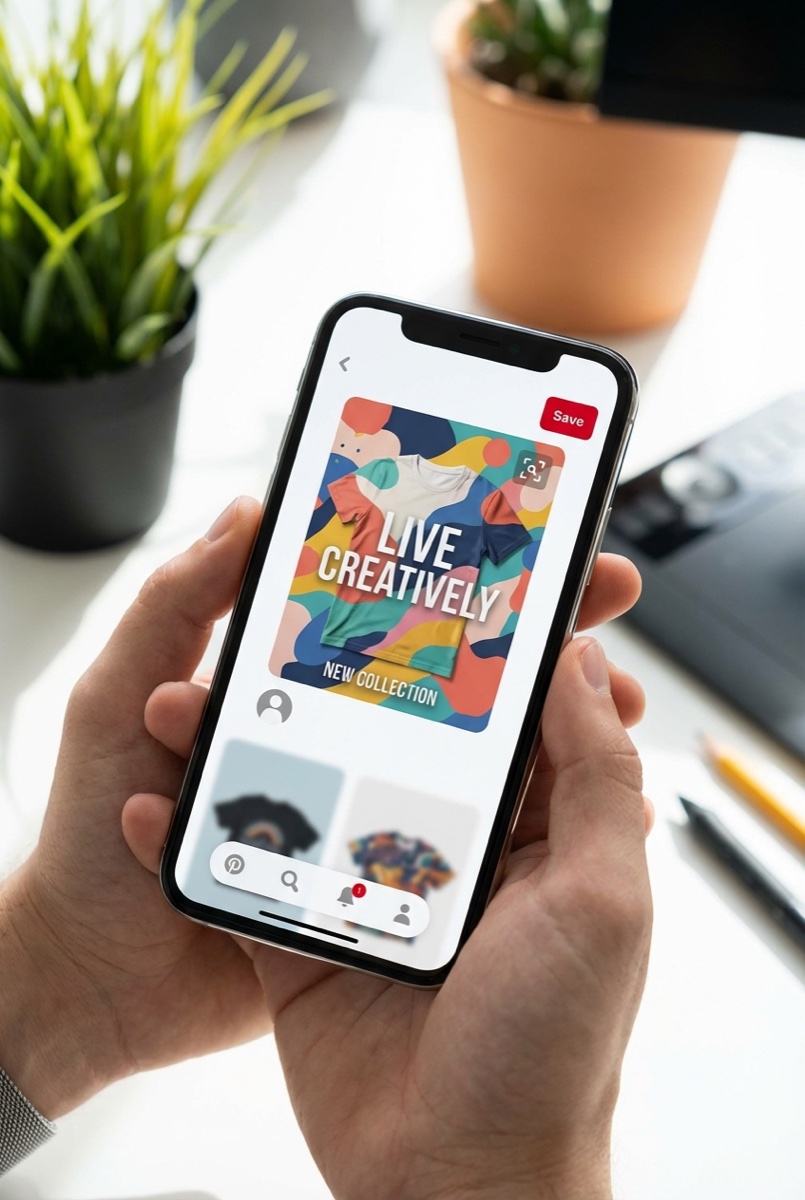
Home » Blog » How to Use Pinterest for Print on Demand: Complete Guide (2026)
Quick Answer
Pinterest is one of the most underused free traffic sources for print-on-demand sellers. Unlike social media platforms where posts disappear in hours, Pinterest pins can drive traffic for months or even years. The platform has 450+ million monthly users actively searching for products to buy, making it ideal for POD businesses. To succeed, create vertical pins (1000x1500px) showcasing your designs, optimize titles and descriptions with keywords, and post consistently—5-10 pins daily using a scheduler like Tailwind.
Why Pinterest Works for Print on Demand
Most POD sellers obsess over Facebook ads while ignoring Pinterest entirely. That’s a mistake. Here’s what makes Pinterest different from other platforms:
It’s a search engine, not social media. People come to Pinterest looking for things to buy. When someone searches “funny nurse shirts” or “retirement gift ideas,” they’re in buying mode. Compare that to Facebook, where you’re interrupting someone’s scroll through vacation photos.
Your content has a long shelf life. A Facebook post dies in 24 hours. A Pinterest pin can drive traffic for 4+ months—sometimes years. That $0 investment today keeps paying dividends without additional work.
The demographics match POD buyers. Pinterest users skew female (60%) and 45+ in age. They have higher household incomes than average social media users. These are exactly the people buying personalized gifts, home décor, and custom apparel.
Pinterest’s demographic skews toward buyers with purchasing power—exactly who you want finding your products.
Setting Up Your Pinterest Business Account
Before you pin anything, get your foundation right:
1. Create a business account. This gives you access to analytics, rich pins, and advertising options (if you want them later). Go to business.pinterest.com to set it up.
2. Claim your website. This adds your profile picture to any pins from your site and improves your credibility. In Settings > Claim, add your store URL and verify with the HTML tag method.
3. Enable rich pins. Rich pins automatically pull product info, pricing, and availability from your store. They look more professional and convert better.
4. Optimize your profile. Use keywords in your business name (e.g., “Sarah’s Custom Tees | Personalized Gifts & Apparel”). Write a keyword-rich bio explaining what you sell and who it’s for.
Creating Pins That Convert
Not all pins are created equal. Here’s what separates pins that drive sales from pins that get ignored:
Use the right dimensions. Pinterest favors vertical images. The ideal size is 1000×1500 pixels (2:3 ratio). Taller pins take up more screen space and get more clicks.
Show the product in context. Don’t just post a flat mockup. Show your shirt on a real person, your mug in a cozy kitchen setting, or your wall art hanging in a living room. Lifestyle shots outperform product-only images.
Vertical pins (2:3 ratio) take up more screen space and dramatically outperform square images.
Add text overlays. Pinterest is a visual search engine, but text helps explain what you’re selling. Use 3-6 words maximum: “Perfect Gift for Dad” or “Nurse Life Funny Tee.”
Brand your pins. Add your logo or website URL subtly in the corner. When people save your pins, your brand travels with them.
Pinterest SEO: Getting Found
Pinterest has its own algorithm. Understanding it is the difference between pins that flop and pins that drive consistent traffic.
Keyword research matters. Use Pinterest’s search bar to find what people actually search for. Type your product keyword and look at the suggested searches. These are goldmines—Pinterest is literally telling you what people want.
Optimize your pin titles. Front-load your main keyword. Instead of “A Beautiful Shirt I Made,” write “Funny Teacher Shirts | End of Year Gift Ideas 2026.”
Write keyword-rich descriptions. Use 2-3 sentences with natural keyword placement. Include secondary keywords and related terms. End with a call to action: “Click to shop now” or “Visit our store for more designs.”
Create strategic boards. Make boards for each product category or niche. Name them with keywords: “Nurse Gift Ideas” not “Stuff Nurses Like.” Write keyword-rich board descriptions.
Posting Strategy for POD Sellers
Consistency beats intensity on Pinterest. Here’s a sustainable strategy:
Pin 5-10 times daily. This sounds like a lot, but scheduling tools make it manageable. Spread pins throughout the day rather than dumping them all at once.
Use Tailwind or Pinterest’s native scheduler. Batch-create pins once a week, then schedule them out. Tailwind ($15/month) offers smart scheduling that posts when your audience is most active.
Create multiple pins per product. For each design, make 3-5 different pins with different images, text overlays, and descriptions. One might flop while another goes viral. You won’t know until you test.
Pin to relevant boards. Each pin should go to 2-3 boards max. Start with your most specific board, then broader ones.
Track your Pinterest traffic in Google Analytics—watch for steady growth over 3-6 months.
Common Pinterest Mistakes to Avoid
Most POD sellers fail on Pinterest because they treat it like Instagram. Don’t make these errors:
Posting square images. Pinterest is vertical. Square images get buried. Always use 2:3 or taller ratios.
Ignoring keywords. “Cool shirt!” tells Pinterest nothing. “Retirement Gift for Men | Funny Fishing Shirt 2026” tells it everything.
Being inconsistent. Pinning 50 times one day then disappearing for two weeks kills your momentum. Steady daily pins perform better than sporadic bursts.
Only pinning your own content. Pinterest rewards accounts that engage with the platform. Pin other people’s content (not competitors) in a 4:1 ratio—4 others for every 1 of yours.
Expecting overnight results. Pinterest is a slow burn. Most accounts take 3-6 months to gain traction. The payoff is worth the wait—free, consistent traffic for years.
FAQ
How long does it take to see results from Pinterest?
Pinterest is a long-game platform. Most accounts see meaningful traffic after 3-6 months of consistent pinning. The advantage is that once pins gain traction, they continue driving traffic for months or years without additional effort. Focus on pinning daily and tracking which pins perform best.
Do I need to pay for Pinterest ads to succeed?
No. Many successful POD sellers use Pinterest entirely organically. Ads can accelerate your results, but the platform’s search-based nature means organic pins can reach buyers for free. Start with organic, then consider ads once you know which products and pins convert best.
What types of POD products work best on Pinterest?
Products with strong visual appeal and gift-giving potential perform best. Think personalized mugs, wall art, custom jewelry, home décor, and apparel with lifestyle appeal. Products that solve problems or mark special occasions (birthdays, retirements, holidays) get searched frequently.
Can I use the same content on Pinterest and Instagram?
Not directly. Pinterest requires vertical images (2:3 ratio) while Instagram favors square. More importantly, Pinterest captions need keyword optimization while Instagram relies on hashtags and engagement. Create platform-specific content for best results.
The Bottom Line
Pinterest offers something rare in ecommerce: free traffic that compounds over time. While your competitors fight over Facebook ad costs, you can build a traffic engine that runs on autopilot. The key is treating Pinterest like the search engine it is—optimize for keywords, create compelling visuals, and stay consistent.
Start with 10-15 pins of your best-selling designs. Use the keyword research method above to optimize titles and descriptions. Schedule daily pins and check your analytics weekly. Within 3-6 months, you’ll have a free traffic source that keeps delivering customers without touching your ad budget.
Looking for a complete system to build your print-on-demand business? Skup’s training programs cover everything from product research to scaling with paid traffic—plus a community of sellers sharing what’s working right now.
The smartest beginners in print on demand don’t start with the most crowded product. They start where buyers already assign value fast. Caps do that. The category sits inside a market that’s projected to grow to $57.49 billion to $102.99 billion by 2033 to 2034, which means the broader print-on-demand market could multiply 5 to…
You’re at the point where your store is proving the model works. Orders are coming in. A few designs are carrying more than the rest. Your ads are finding buyers. But your fulfillment partner is starting to feel like the ceiling, not the engine. Turnaround slips. Print quality varies. Margin gets thinner every time a…
A lot of people start looking up how to sell print on demand at the same moment in life. Work feels fixed. Income feels capped. You want something you can build after hours that does not require buying piles of inventory, renting a warehouse, or guessing how many units to order. That is why POD…